Tag: restaurant inventory management best practices

  • 7 Benefits of Restaurant Inventory Management Software

    7 Benefits of Restaurant Inventory Management Software

    Last Updated: October 25, 2026

    Quick Summary

    Restaurant inventory management software tracks ingredients, stock levels, and food costs in real time by connecting your purchasing, receiving, and usage data. It automates ingredient tracking and generates reports on food waste, spoilage, and cost variance so you see exactly where your money goes.

    • Physical counts should be weekly for high-turnover items and monthly for everything else to catch discrepancies between system data and actual inventory.
    • Implementation typically takes 4-8 weeks for a single location and 8-12 weeks for multi-unit operations across four phases: setup, data build, pilot, and full adoption.
    • Assign one inventory lead per location to own receiving, logging, and weekly counts, and provide role-specific training to kitchen staff, servers, and managers.
    • Start with your highest-cost and highest-turnover ingredients to prove the workflow, then expand rather than going live on every menu item at once.

    Table of Contents

    What Restaurant Inventory Management Software Does

    Restaurant inventory management software tracks ingredients, stock levels, and food costs in real time. It connects your purchasing, receiving, and usage data so you can see exactly where your money goes.

    At AMG Accounting, we work with restaurant owners who struggle with cash flow because they don’t know their true food costs. The gap between what they think they’re spending and what they’re actually spending is often shocking. Inventory management software closes that gap by giving you visibility into ingredient usage patterns, supplier pricing, and waste.

    The software typically connects to your POS system, accounting records, and vendor invoices. When a customer orders a dish, the system deducts ingredients from your inventory. When you receive a shipment, you log it in. The result is a complete picture of stock levels, ingredient costs, and profit margins by menu item.

    Reduce Food Waste and Spoilage

    Food waste directly reduces your profit margin. When ingredients spoil before you use them, that’s money thrown away. Restaurant inventory management software tracks expiration dates and alerts you before perishables go bad, so you catch problems before they cost you.

    Real-time inventory visibility also helps you spot over-ordering patterns. If you’re regularly throwing away lettuce or fish, the software shows you exactly how much and when. You can then adjust your ordering quantities or menu planning to use ingredients before they expire. Many restaurants find that simply knowing their waste patterns is enough to cut spoilage by a meaningful amount.

    The software also helps you match demand to supply. Seasonal trends, weekly patterns, and special events all affect what you need in stock. By analyzing historical usage data, you can forecast demand more accurately and order only what you’ll actually use. Less sitting on shelves means less spoilage.

    Control Food Costs and Operating Expenses

    Food costs are typically your largest controllable expense. Most restaurants operate on thin margins, and a 2-3 percent swing in food cost can be the difference between profit and loss.

    When you know the exact ingredient cost for each dish, you can price your menu correctly. You can also identify which items are profitable and which ones are dragging down your bottom line.

    The software also flags vendor price discrepancies. If one supplier charges more for the same ingredient, the system alerts you. You can then negotiate better rates or switch vendors. Over time, these small savings compound into significant reductions in your operating expenses.

    Additionally, you can explore restaurant accounting best practices that complement inventory management and strengthen your overall cost control strategy. For deeper insight into how inventory connects to your restaurant’s cash position, review guidance on improving cash flow for restaurants.

    Implement a Restaurant Inventory Management System That Works

    Most inventory software fails not because the software is bad but because the rollout is. The benefits only show up when the data is clean and the team actually uses the system. A practical implementation plan covers four phases: setup, data build, pilot, and full adoption.

    Phase 1: Setup and integration (week 1-2). Choose software that fits your operation size. A single-location cafe needs different features than a 10-unit group. Confirm the system integrates with your POS and accounting platform so you are not re-entering data in multiple places. Connect the POS first, because sales data drives recipe depletion and usage forecasting. Then connect accounting so invoices and cost of goods sold reconcile automatically.

    Phase 2: Build your data foundation (week 2-4). This is the unglamorous work that determines whether the system ever pays off. Build three lists before you go live:

    • Ingredient master list. Every item you buy, with a standard unit of measure, pack size, and current cost. Standardize now: produce in pounds, proteins in ounces, dry goods in cases. If you log tomatoes by count one week and by weight the next, your trends become meaningless.
    • Recipe and plate costing. Enter each menu item’s ingredients and quantities. This is what lets the software calculate plate cost and margin by dish. Start with your top 20 sellers, which usually represent the majority of sales, then fill in the rest.
    • Par levels and suppliers. Set a minimum on-hand quantity for each ingredient based on usage and storage capacity, and record which vendor supplies it at what price. Par levels are the trigger for automated ordering, so they need to reflect real usage, not guesses.

    Phase 3: Pilot alongside your current process (week 4-6). Run the new system in parallel with your existing spreadsheet or manual process for 2-4 weeks. Count physically at the start and end of the pilot so you have a baseline. During the pilot, log every delivery at receiving and every waste event. Compare the software’s on-hand numbers against your physical counts weekly. Expect discrepancies in the first two weeks; they usually trace to unlogged transfers, receiving errors, or recipe quantities that don’t match what the kitchen actually plates.

    Phase 4: Drive adoption (ongoing). Staff resistance is the biggest threat to data quality. If your team doesn’t use the system consistently, the reports become fiction. A few tactics work better than a single training session:

    • Assign one inventory lead per location who owns receiving, logging, and weekly counts. Give that person authority to reject inaccurate deliveries.
    • Train the rest of the team only on the tasks they touch: servers on waste logging, kitchen staff on prep and transfer entries, managers on counts and reporting. Role-specific training sticks better than all-hands sessions.
    • Make the first reports visible. When staff see that accurate logging leads to better par levels and fewer emergency runs, compliance improves.
    • Document procedures in writing. New hires need a clear guide on how to log inventory, how to count, and what to do when something doesn’t match. Written procedures also give you evidence of your standard process if discrepancies arise.
    Pro Tip
    Do not try to go live on every menu item at once. Start with your highest-cost and highest-turnover ingredients, prove the workflow, then expand. A smaller, accurate dataset beats a complete but unreliable one.

    Once the pilot data is clean and the team is comfortable, retire the manual process and rely on the software fully. You can learn more about restaurant services and solutions that integrate inventory management with broader financial oversight.

    A successful rollout typically follows four phases over 4-12 weeks depending on your operation size.

    Get Started Today →

    Phase Duration Key Activities
    Setup and integration Week 1-2 Choose software, integrate POS and accounting, map unit conversions
    Build data foundation Week 2-4 Create ingredient master list, recipe costing, par levels and suppliers
    Pilot alongside current process Week 4-6 Run parallel with existing system, log all deliveries and waste
    Drive adoption Ongoing Assign inventory lead, role-specific training, document procedures

    Restaurant Inventory Management Best Practices for Accuracy

    Accurate inventory counts are the foundation of reliable data. Schedule regular physical counts, weekly for high-turnover items, monthly for everything else. Physical counts catch discrepancies between what the system says you have and what’s actually on hand.

    Use consistent units and descriptions. If you log tomatoes in pounds one day and by count another day, your data becomes inconsistent. Establish a standard: all produce is measured in pounds, all proteins in ounces, all dry goods in cases.

    Train staff on proper receiving procedures. When a delivery arrives, check quantities and quality before logging it in. A case marked as 24 units should contain 24 units. Errors at receiving compound through the entire system.

    Document your procedures in writing. When new staff joins, they need a clear guide on how to log inventory, how to count, and what to do if something doesn’t match.

    Simplify Ordering and Supplier Management

    Manual ordering creates waste. You forget to order something, run short, then make an emergency purchase at a higher price. Or you order too much to avoid stockouts, and ingredients spoil. Automated ordering based on inventory levels and usage forecasts eliminates both problems.

    The software tracks your par levels, the minimum quantity you want on hand for each ingredient. When inventory drops below par, the system can automatically generate a purchase order or alert you to order.

    Vendor management becomes more transparent. You can see what each supplier charges for the same item, compare terms, and identify opportunities to consolidate orders or negotiate better rates.

    Invoice reconciliation is also simplified. When you receive a shipment, you log it in the system. When the invoice arrives, you match it against the receiving log. Discrepancies, wrong quantities, wrong prices, duplicate charges, surface immediately so you can dispute them before paying.

    Get Real-Time Visibility Into Stock Levels and Ingredient Usage

    Real-time inventory data means you always know what you have on hand. Instead of guessing whether you have enough shrimp for tonight’s service, you check the software. This prevents stockouts that force you to substitute menu items or disappoint customers.
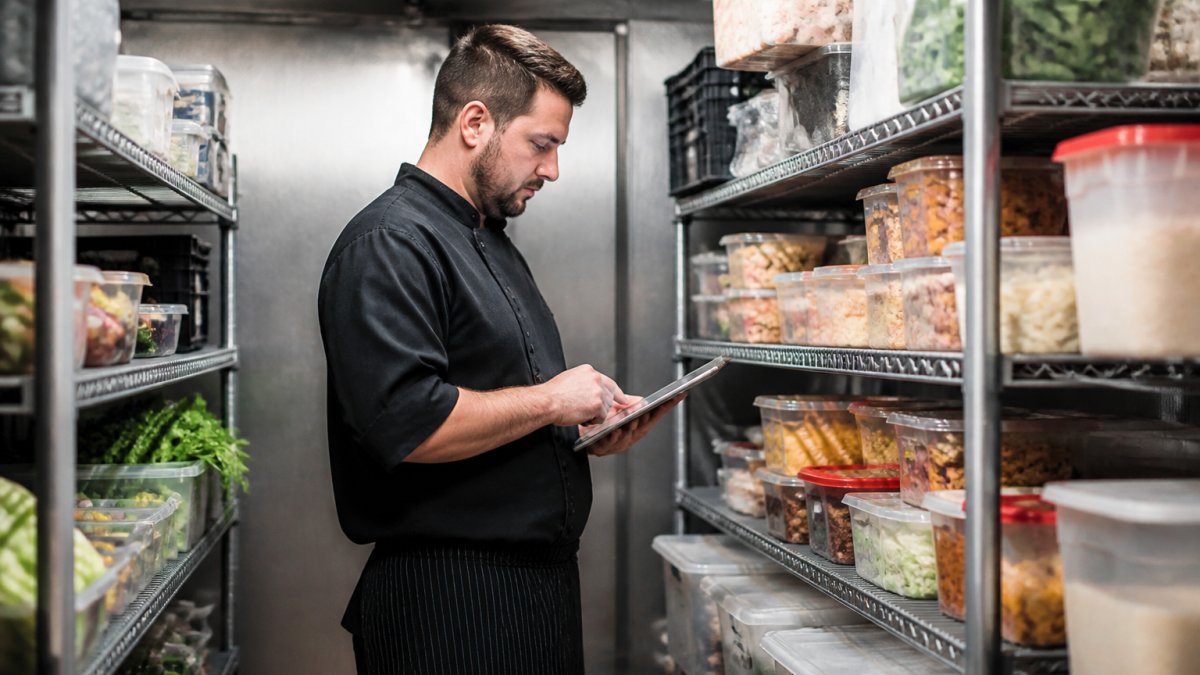
    Restaurant manager reviewing inventory levels on tablet while standing in organized walk-in cooler with labeled ingredient containers and organized shelves
    Restaurant manager reviewing inventory levels on tablet while standing in organized walk-in cooler with labeled ingredient containers and organized shelves

    Usage patterns become visible too. You can see which ingredients are used fastest, which sit for weeks, and which are used only occasionally. This insight helps you optimize storage, adjust par levels, and plan menu changes.

    Real-time data also supports better decision-making during service. If a popular item is running low, you can adjust pricing or portions to manage demand. If you have excess inventory of something perishable, you can feature it as a special to use it before it spoils.

    Use a Restaurant Inventory Spreadsheet Template to Start

    A spreadsheet is a reasonable first step if you are not ready to buy software, but it helps to be clear about what it can and cannot do.

    Where a spreadsheet earns its keep is in food cost math. Divide total ingredient cost by total sales for a period to get your blended food cost percentage. Track it weekly or monthly.

    Where a spreadsheet breaks down is scale and consistency. Once you have hundreds of ingredients, multiple suppliers, and daily deliveries, manual entry errors compound. A missed receiving log or a unit mismatch (pounds versus cases) throws off every downstream number.

    A simple way to decide: track the hours you spend each week on counts, data entry, and reconciliation. If that time is significant and errors are still creeping in, the software’s labor savings alone often justify the switch.

    Key Takeaway
    Use a spreadsheet to build the discipline of regular counting and to learn your food cost baseline. Move to software when manual entry errors or time spent on reconciliation start costing more than the subscription.

    Frequently Asked Questions

    How does restaurant inventory management software reduce food waste?

    Inventory software tracks expiration dates and usage patterns, alerting you when ingredients are approaching their shelf life. Real-time stock counts prevent over-purchasing and spoilage. By identifying which items move slowly, you can adjust portion sizes, menu offerings, or supplier orders to match actual demand.

    What features should restaurant inventory management software have?

    Essential features include real-time inventory counts, expiration date tracking, automated reorder alerts, supplier invoice reconciliation, usage reporting by menu item, and integration with your POS system. Look for tools that track ingredient costs against menu prices to calculate plate costs and profit margins. Demand forecasting and seasonal trend analysis help prevent stockouts and over-ordering.

    Can inventory software help lower restaurant food costs?

    Yes. Software reveals your true food cost percentage by tracking every ingredient used. You’ll spot vendor price discrepancies, identify theft or waste patterns, and optimize portion sizes based on actual costs. Recipe costing features show which menu items are most profitable.

    How often should a restaurant count inventory?

    Most restaurants count physical inventory weekly or bi-weekly, depending on volume and menu complexity. High-volume operations may count daily. Software automates much of this by tracking usage in real time, so you spend less time on manual counts. Reconciling physical counts against system records monthly catches discrepancies early and keeps your data accurate for financial reporting.


  • Improving Cash Flow for Restaurants: A 2026 Guide

    Improving Cash Flow for Restaurants: A 2026 Guide

    Table of Contents

    Last Updated: September 12, 2026

    Why Restaurant Cash Flow Gets Tight Even When Sales Look Fine

    Improving cash flow for restaurants starts with an uncomfortable truth: a busy Friday night does not mean money in the bank. Cash flow is the timing gap between when you pay for food, labor, and rent and when customers pay you. Sales on the P&L can look healthy while your operating account sits empty.

    Below, we’ll walk through the levers that free up cash, from prime costs to vendor terms, and how to build a system that holds up during slow months.

    Restaurants run on thin margins and heavy fixed costs. Rent, insurance, and salaried labor hit whether you serve ten covers or a hundred, so a slow week has no cushion unless you built one. Many operators find their cash crunch is not a revenue problem at all, it is a timing and visibility problem.

    Key Takeaway
    Healthy sales and healthy cash flow are two different things. If you cannot see your cash position by week, you are managing the business blind.

    The Restaurant Prime Cost Formula: Your First Cash Flow Lever

    The restaurant prime cost formula is simple: cost of goods sold plus total labor cost, divided by total sales. Most full-service operators aim for the low-to-mid 60% range, though the right target depends on your concept and service style (restaurant.org).

    Here is how to calculate it in practice:

    1. Add your food and beverage cost of goods sold for the period.
    2. Add all labor, including hourly wages, salaries, payroll taxes, and benefits.
    3. Divide that total by net sales.
    4. Track the number weekly, not just at month-end.

    Prime cost is your first cash flow lever because it is the largest controllable expense. When it creeps up, cash is squeezed from both ends: you spend more on ingredients and staff while collecting the same revenue. Watching it weekly lets you react before a bad month becomes a bad quarter.

    Restaurant Inventory Management Best Practices That Free Up Cash

    Restaurant inventory management best practices come down to one goal: stop tying up cash in food you have not sold. Every dollar in the walk-in is unavailable for payroll, rent, or repairs.

    The biggest culprit is dead stock, inventory that sits until it spoils or gets thrown out. Cutting it improves cash flow directly, because wasted product is money already spent and never recovered.

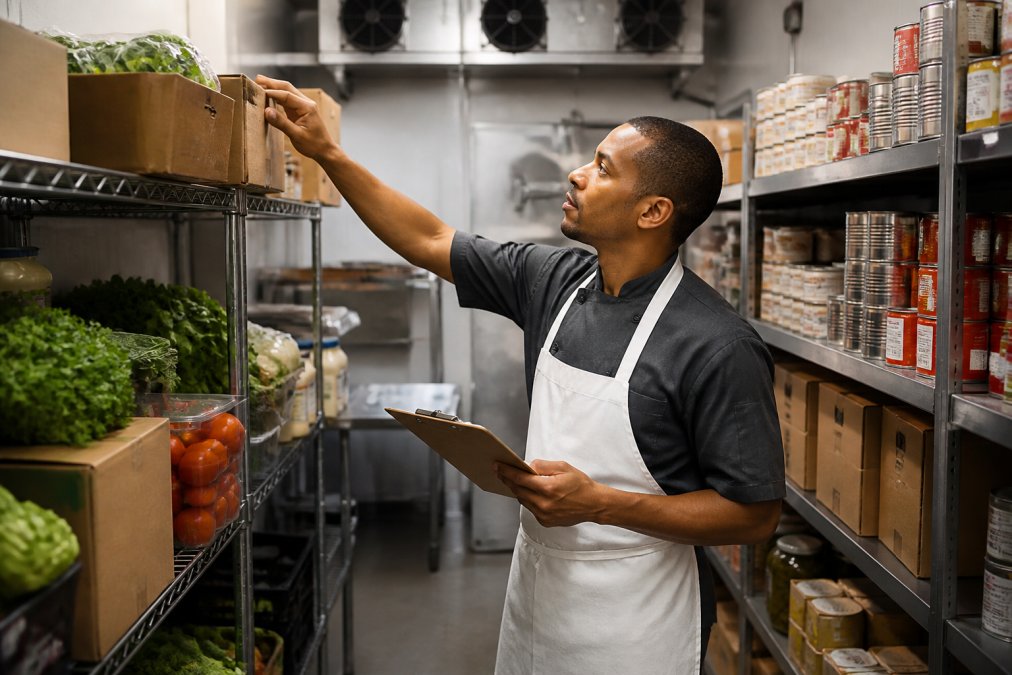
    A restaurant manager in a white apron counting boxes of produce and canned goods on metal shelving in a walk-in storage room, clipboard in hand, warm overhead lighting
    A restaurant manager in a white apron counting boxes of produce and canned goods on metal shelving in a walk-in storage room, clipboard in hand, warm overhead lighting

    Practical steps that work:

    • Count high-value items weekly, not monthly.
    • Track inventory turnover by category so slow-moving items stand out.
    • Set par levels based on actual usage, not habit.
    • Use menu engineering to push high-margin dishes and cut or reprice the losers.
    • Reconcile deliveries against invoices the same day they arrive.
    Pro Tip
    Weigh and count your ten most expensive ingredients every week. Most restaurants find the same three or four items are where the shrinkage and over-ordering hide.

    Labor Cost Control and Staffing Optimization

    Labor eats cash fastest because it is paid on a fixed schedule regardless of sales. Labor percentage, total labor cost divided by sales, is the metric to watch (restaurant.org). When it drifts above target, cash flow tightens within days.

    Staffing should follow customer demand, not a schedule written months ago. Build schedules around actual sales patterns by daypart: if Tuesday dinner is consistently slow, you do not need the Saturday-night crew.

    A few habits that protect cash:

    • Forecast sales by day and schedule to that forecast.
    • Cross-train staff so you can run lean during slow shifts.
    • Watch overtime closely; it is often cheaper to add a part-time shift than pay premium hours.
    • Review your labor percentage weekly alongside your daily sales report.

    The goal is not to understaff and hurt service, but to match labor to revenue so you are not paying for coverage you cannot afford.

    Vendor Terms, Accounts Payable, and Accounts Receivable

    Negotiating vendor terms is one of the fastest ways to improve cash flow without cutting a single cost. Stretching terms from net 7 to net 30 keeps cash in your account longer, real working capital.

    On the accounts payable side, pay on time but not early unless a discount makes it worthwhile. On the accounts receivable side, if you cater, host events, or invoice corporate clients, collect faster, every unpaid day is cash not working for you.

    Lever Action Cash Flow Impact
    Vendor terms Negotiate net 30 instead of net 7 Keeps cash longer
    Accounts payable Pay on due date, not early Preserves working capital
    Accounts receivable Invoice immediately, follow up at 15 days Speeds up cash inflow
    Deposits Require deposits on catering and events Reduces risk and upfront cost
    Watch Out
    Letting receivables slide past 30 days is one of the most common ways restaurants quietly run out of cash. A full dining room does not help if your event clients are paying you 60 days late.

    Best Accounting Software for Restaurants: What to Look For

    The best accounting software for restaurants is not the one with the longest feature list. It is the one that closes the loop between your POS, inventory and recipe data, payroll provider, and bank account, so a single day’s sales, costs, and cash position reconcile without a spreadsheet. Generic small-business software fails this test because it was built for invoicing service businesses, not daily sales reconciliation, recipe-level cost of goods sold, or tip and payroll-tax handling.

    Get Started Today →

    Most operators choose between three architectures, each with a real trade-off:

    • All-in-one restaurant platforms. A POS with a built-in back-office module handles sales, labor, and inventory in one database. Daily sales and labor import automatically and prime cost updates without manual entry, but general-ledger depth is weaker, so many operators still run a separate accounting file for tax and balance-sheet work.
    • POS plus a restaurant-aware accounting layer. A mainstream accounting platform connected through a restaurant-specific integration or middleware. This gives you a proper general ledger and cash flow statement while still pulling daily sales and cost of goods sold by category. The trade-off is setup complexity and a monthly integration fee.
    • POS plus a dedicated inventory and recipe-costing tool plus accounting. The most granular option. You get theoretical versus actual usage by menu item, which is where shrinkage and over-portioning hide. The cost is more subscriptions and reconciliation work if the tools do not share a data model.

    Whichever path you take, integration mechanics matter more than brand. Look for:

    • Daily sales import with tender-level detail. Cash, card, and third-party delivery sales should post separately, because delivery aggregators remit on their own schedule and hold back commissions. If your software lumps them together, your cash position will look better than it is.
    • Recipe-level cost of goods sold. The system should let you attach a recipe to a menu item and roll ingredient costs up automatically, so a vendor price change flows through to plate cost without a manual update.
    • Theoretical versus actual usage reporting. This is the report that compares what you should have used based on sales against what you actually purchased. The gap is waste, over-portioning, or theft.
    • Labor cost by daypart, including payroll taxes and benefits. A labor number that excludes taxes and benefits understates your true labor percentage by a meaningful margin.
    • A cash flow statement that separates operating, investing, and financing activity. This is the report that tells you whether growth is being funded by profit or by debt and vendor float.
    • Bank feed reconciliation. Automatic matching between bank transactions and your ledger is what makes weekly cash review realistic instead of a monthly chore.

    Test any option before you commit: ask the vendor to show a report combining daily sales, cost of goods sold, and labor for one week with no manual export. If they cannot produce that view natively, you will rebuild it in a spreadsheet weekly, which defeats the purpose.

    Pro Tip
    Before you switch platforms, export one month of data from your current system and try to reconstruct prime cost and weekly cash position by hand. The number of steps that takes is a good proxy for how much time a better-integrated stack will save you.

    Technology stack integration is where most restaurants leave money on the table. When your POS, accounting, payroll, and inventory tools share data, you stop re-entering numbers and see your true cash position in near real time, the difference between reacting to a cash problem and preventing one.

    Best For
    Operators who want to stop guessing and see prime cost, labor percentage, and cash position in one dashboard rather than five spreadsheets.

    Emergency Liquidity Planning and Tax Planning for Cash Flow

    Emergency liquidity planning means building cash reserves before you need them, sized to your fixed-cost structure rather than a round number. Because restaurants carry heavy fixed costs and thin margins, a reserve measured in months of total expenses is usually unrealistic. A workable target is four to eight weeks of fixed costs, rent, insurance, salaried labor, loan payments, utilities, funded gradually during strong months. The right number depends on how seasonal your concept is and how concentrated revenue is in a few dayparts.

    A reserve only works if it is funded automatically and kept separate. Route a fixed percentage of weekly sales into a dedicated savings account on a set day, and treat withdrawals as requiring a repayment plan. A reserve you dip into for routine shortfalls is just a slower version of the same cash problem.

    Tax planning for cash flow is the second half of the buffer, and where restaurants most often get surprised. Quarterly estimates are not withheld automatically like payroll taxes, so the money must be set aside deliberately. Move a fixed percentage of weekly revenue into a tax savings account alongside the reserve, then pay estimates from it, converting a quarterly shock into a weekly habit.

    Beyond setting money aside, a few tax mechanisms function directly as cash flow tools:

    • Timing of deductions and purchases. Placing qualifying equipment or improvements into service before year-end can accelerate depreciation deductions, which lowers taxable income for the current year. Section 179 expensing and bonus depreciation rules change periodically, so confirm current limits and eligibility with a tax professional before you plan around them (irs.gov).
    • Deferral where available. Certain retirement plan contributions and some business structures allow income to be deferred to a later year, which pushes the tax liability out and keeps cash working in the business in the meantime.
    • Credits you may already qualify for. The Work Opportunity Tax Credit and the FICA tip credit are two commonly overlooked credits in food service. The FICA tip credit in particular can be substantial for full-service operators, but it requires accurate tip reporting, which is another reason clean payroll data matters.
    • Entity and payroll structure. How owners pay themselves, whether through wages, distributions, or a combination, affects both self-employment tax and the timing of tax payments. This is a planning decision, not a year-end cleanup.

    Dynamic pricing also smooths cash inflow. Adjusting prices for high-demand periods, or running targeted promotions during slow dayparts, shifts revenue toward the hours you need it: a modest increase on high-demand items raises contribution margin without adding labor, while a slow-day promotion fills empty seats. The trade-off is guest perception, so tie changes to a clear value story rather than applying them across the board.

    A simple emergency plan:

    • Calculate your weekly fixed costs (rent, insurance, salaried labor, loan payments, utilities).
    • Set a target reserve equal to four to eight weeks of those costs, based on your seasonality.
    • Fund it automatically on a set day during your strongest months.
    • Open a separate tax account and move a fixed percentage of weekly revenue into it.
    • Confirm current depreciation, expensing, and credit rules with a tax professional before year-end.
    • Review your burn rate monthly so you spot trouble early.
    Watch Out
    A reserve that is not in a separate account, and not funded on a schedule, tends to get spent. The account structure is what makes the plan survive a slow month.

    Conclusion: Building a Cash Flow System That Holds Up

    Restaurant cash flow problems rarely come from one bad decision. They build from small gaps: slow inventory turns, labor that does not match demand, dragging receivables, and taxes that surprise you. Fixing them takes a system, not a one-time cleanup.

    AMG Accounting helps restaurant owners build that system. We handle bookkeeping and tax preparation, create dashboards and KPIs so you can see prime cost and cash position clearly, and explain your numbers in plain English. If revenue looks fine but cash always feels tight, that is exactly the problem we solve. Get started with AMG Accounting and turn your restaurant’s numbers into a cash flow system you can trust.

    Frequently Asked Questions

    What is the 30/30/30 rule for restaurants?

    The 30/30/30 rule is a budgeting guideline where 30% of revenue covers food cost, 30% covers labor, and 30% covers everything else, leaving roughly 10% as profit. It gives you a quick way to check whether your restaurant cash flow is on track. If food or labor creeps above 30%, your margin shrinks fast. Track these numbers weekly using your point-of-sale data and adjust portion sizes, menu prices, or scheduling before the gap widens.

    What are the most common causes of poor cash flow in restaurants?

    The biggest culprits are slow inventory turnover, overstaffing during slow shifts, and vendor terms that require payment before your own receivables come in. Dead stock ties up cash on shelves. High labor percentage eats into every shift. And when accounts payable outpace cash inflow, working capital dries up. Regular reconciliation of your daily sales report against actual bank deposits catches these problems early, before they become a crisis.

    How does inventory management impact restaurant cash flow?

    Every dollar sitting in dead stock is a dollar not available for payroll, rent, or emergencies. When inventory turnover slows, you are buying more than you sell, which drains operating accounts. Tracking turnover weekly and cutting slow-moving items frees up working capital. Simple habits like counting high-cost items daily and reviewing par levels before each order can reduce waste and keep cash reserves healthier without cutting your menu variety.

    What is a healthy cash flow margin for a restaurant?

    Most full-service restaurants aim for a cash flow margin between 5% and 15% of revenue. Fast-casual operations with lower overhead sometimes reach 15% to 20%. Below 5% leaves little room for equipment failures, slow seasons, or unexpected repairs. If your margin consistently sits under 5%, review fixed costs, variable costs, and pricing. A fractional controller or bookkeeper can assist with building a cash flow forecast.