Tag: best accounting software for small farms

  • How to Track Farm Business Expenses: 2026 Guide

    How to Track Farm Business Expenses: 2026 Guide

    Table of Contents

    Last Updated: September 13, 2026

    Step 1: Separate Personal and Farm Business Expenses

    Learning how to track farm business expenses starts with one clean split: your household money and your operation’s money can never share a bank account. A dedicated farm checking account and a farm credit card give you an audit trail that holds up, and they take the guesswork out of every deposit and withdrawal.

    That separation matters more than most growers expect. When personal spending runs through the farm account, your profit and loss statement becomes fiction, and your accountant spends billable hours untangling it.

    The practical setup takes an afternoon:

    • Open a dedicated farm business checking account
    • Apply for a farm credit card used only for operating expenses
    • Route every sale, grant payment, and loan draw through that account
    • Pay yourself a set owner’s draw instead of pulling cash as needed
    Watch Out
    Mixing personal and farm spending in one account is a common and expensive bookkeeping mistake. It forces a full reclassification at year end, and if you are ever audited, it can be difficult to prove which expenses were business.

    Step 2: Set Up IRS Schedule F Expense Categories

    IRS Schedule F expense categories are the line items the IRS uses to report farm profit, and building your bookkeeping around them from day one saves hours every filing season. The form covers ordinary and necessary costs like feed, seed, fertilizer, fuel, repairs, veterinary care, and labor.

    A common mistake is creating custom categories that feel intuitive but map to nothing on the return. Your expense categorization should mirror Schedule F exactly, so the profit and loss statement rolls straight onto the form. For the official line-item list, see the IRS Schedule F instructions.

    Standard categories most farms need:

    • Car and truck expenses
    • Chemicals and fertilizer
    • Conservation and custom hire
    • Feed, seed, and livestock purchases
    • Labor, repairs, and supplies
    • Insurance, interest, and taxes

    Capital expenditures like tractors, buildings, and irrigation systems do not belong here. They get depreciated over time, which is a separate conversation with your tax preparer.

    Step 3: Build a Receipt Capture Workflow That Works in the Field

    Farm work happens far from a desk, so the best receipt workflow is the one you can run from a truck cab. Real-time tracking beats a shoebox every time: when you photograph a receipt the moment you get it, the expense never goes missing. Most guides stop there. The gap is the actual mechanics, what to capture, how to name it, and what happens when you have no signal in the back forty.
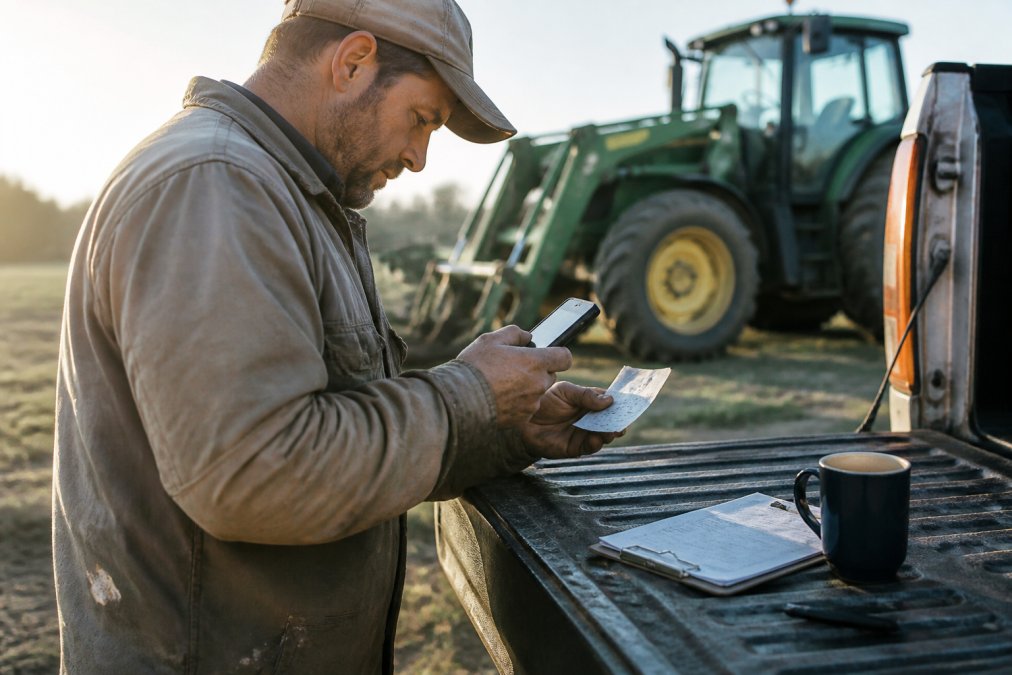
    A farmer in dusty work clothes standing beside a tractor, holding a smartphone up to photograph a crumpled paper receipt, a clipboard and a coffee mug resting on the truck tailgate in morning light
    A farmer in dusty work clothes standing beside a tractor, holding a smartphone up to photograph a crumpled paper receipt, a clipboard and a coffee mug resting on the truck tailgate in morning light

    Capture at the point of sale, not the point of memory. The moment a receipt is handed to you, at the co-op, the parts counter, the vet clinic, photograph it. Thermal paper receipts fade to blank within months on a dashboard, and a faded receipt is no proof at all. If you pay cash, photograph the receipt and the cash drawer slip together so the amount is legible.

    Build a naming convention that survives a search. Most mobile scanning apps let you rename the file before it uploads. Use a consistent pattern: date, vendor, amount, and enterprise. For example, 2026-09-13_CenexCo-op_$412.88_NorthField. Six months later, when your accountant asks about a fuel charge, you can find the receipt in seconds instead of scrolling through hundreds of thumbnails.

    Tag the category and enterprise on the spot. The single biggest time-saver is categorizing while the context is fresh. If you wait until month-end, you will guess, and guessing is how a fuel purchase ends up under “Truck” in January and “Vehicle” in June. Tag the Schedule F category and, if you run more than one enterprise, the field or herd it belongs to.

    Handle offline capture deliberately. Rural connectivity is unreliable, so choose an app that stores the photo locally and syncs when you regain signal. Test this before you rely on it: put your phone in airplane mode, snap a receipt, then confirm it uploads once you reconnect. If your app cannot do this, you will lose receipts every time you work a remote parcel.

    Tie the receipt to the ledger entry. A photo in a camera roll is not bookkeeping. The receipt needs to attach to the transaction in your accounting software so the expense, the category, and the proof live in one place. Most cloud accounting tools and farm platforms let you attach a photo directly to a bank feed line during reconciliation. If yours does not, export the photos to a dated folder that mirrors your bank statement.

    Build the habit around five rules:

    • Photograph every receipt before it leaves your hand
    • Rename it with date, vendor, amount, and enterprise
    • Tag the category on the spot, not weeks later
    • Confirm offline capture works before you trust it in the field
    • Attach the photo to the ledger entry during monthly reconciliation
    Pro Tip
    Set up a recurring calendar reminder to sweep your truck console and wallet every Friday. Pair it with a monthly reconciliation pass so any receipt that never made it into the system gets caught before the month closes. Receipts fade, and thermal paper receipts go blank within months if left on a dashboard in the sun.
    ::: Establishing a consistent rhythm for these physical documents simplifies the broader administrative task to track recurring monthly bills that often slip through the cracks of a busy harvest season.

    A camera roll full of receipt photos is not a recordkeeping system. If the images are not named, categorized, and attached to a ledger entry, you have the same problem as a shoebox, just a digital one. The workflow only works when capture, naming, tagging, and attachment happen in sequence.

    Step 4: Choose the Best Accounting Software for Small Farms

    The best accounting software for small farms is the one that handles Schedule F categories, bank reconciliation, and mobile capture without forcing you into a generic small-business template. The market splits into three tiers, and the right pick depends on how many enterprises you run and whether you need field-level data.

    Tier 1: Spreadsheets. A workbook with a tab per Schedule F line works for a single-enterprise operation under roughly $100,000 in gross revenue. It is free and flexible, but nothing reconciles itself, there is no audit trail, and a single broken formula can silently corrupt a year of numbers. Spreadsheets are a starting point, not a system.

    Get Started Today →

    Tier 2: General cloud accounting. Tools in this tier offer bank feeds, a mobile app, and a chart of accounts you can rename to match Schedule F. Expect a monthly subscription in the low tens of dollars per month for a solo operation, with per-user add-ons. The catch is that farm-specific concepts, enterprises, fields, livestock inventory, growing crops, are not native, so you build them with classes, tags, or location tracking. That works, but it takes setup discipline.

    Tier 3: Farm-specific platforms. These tools ship with enterprise profitability, inventory tracking, field-level cost allocation, and in some cases payroll and grant reporting built in. Pricing typically runs from a few hundred dollars per year for a small operation up to several thousand for multi-entity farms with payroll. The trade-off is real: steeper setup, a learning curve, and features you may never use if you run one crop on one parcel.

    Use these questions to pick a tier:

    • Do you run more than one enterprise (for example, row crops plus a cow-calf herd)? If yes, you need enterprise-level reporting.
    • Do you need to allocate costs to specific fields or herds? If yes, general accounting will fight you.
    • Do you have employees and payroll? If yes, confirm the tool handles payroll tax filings in your state.
    • Do you need to reconcile grant or subsidy reporting against private expenses? If yes, look for a platform with a grant or cost-share tracking module.

    A practical pattern many farms follow: start on general cloud accounting, run it cleanly for a full tax year, then migrate to a farm-specific platform the season you add a second enterprise or hire your first employee. Migrating mid-year is painful; migrating at a fiscal year boundary is manageable.

    Key Takeaway
    For a single-enterprise operation under a few hundred thousand in revenue, general cloud accounting with Schedule F categories handles everything. Add farm-specific software once you need enterprise-level profitability, field-level cost allocation, or grant reporting, and plan the switch for a fiscal year boundary, not mid-season.

    Step 5: Use Farm Recordkeeping Templates to Stay Consistent

    Farm recordkeeping templates keep your categories, fields, and formats identical month to month, which is what makes year-over-year comparison possible. A template is not a crutch; it is the structure that stops your books from drifting into chaos.

    The USDA farm financial management resources offer budgeting and recordkeeping frameworks worth adapting. A good template set includes:

    • A chart of accounts mapped to Schedule F
    • An income and expense tracker by enterprise
    • A cash flow summary updated monthly
    • A depreciation and asset register
    • A grant and subsidy reporting log

    Consistency is the whole point. If January’s fuel expense sits under “Truck” and June’s sits under “Vehicle,” your financial reporting breaks. Templates force the same answer every time, and they make onboarding a bookkeeper or accountant dramatically faster.

    Step 6: Reconcile Bank Statements and Close the Month

    Monthly bank reconciliation is the checkpoint that proves your books match reality, and skipping it is how small errors become tax-season disasters. Reconciling means matching every transaction in your accounting software to your bank statement and investigating anything that does not line up.

    Set a monthly close routine:

    1. Import or sync all bank and credit card transactions
    2. Match each line to a receipt and category
    3. Flag anything uncategorized and resolve it
    4. Review the profit and loss statement and balance sheet
    5. Lock the month so no one edits it later

    The FDIC guidance on small business banking is a useful reminder to review statements promptly; unauthorized transactions are far easier to dispute within the first sixty days. A monthly close gives you a clean ledger, a reliable cash flow summary, and confidence heading into quarterly tax estimates.

    Watch Out
    If you only reconcile once a year, you lose the ability to catch duplicate charges, missed deposits, and fraud while they are still fixable. Monthly reconciliation is your audit trail.

    Common Mistakes That Cost Farm Businesses Money

    The costliest errors in farm bookkeeping are not exotic; they are the same handful repeated every season. Avoiding them protects both your tax deductions and your cash flow.

    • Mixing personal and business spending. It destroys your audit trail and inflates your apparent profit.
    • Missing depreciation on equipment. Capital purchases are not expenses; they are depreciated, and skipping this overstates taxable income.
    • Filing receipts instead of scanning them. Paper fades, and a faded receipt is no proof at all.
    • Ignoring enterprise-level profitability. If you cannot see which enterprise makes money, you cannot fix the one that doesn’t.
    • Waiting until tax season to organize. Cleanup always costs more than maintenance.

    If your records are a mess right now, cleanup does not have to take months. A focused catch-up on the current fiscal year, combined with a clean go-forward system, gets most farms organized faster than they expect.


    Running a farm means juggling weather, markets, and equipment on top of the books, and the financial side is usually the first thing to slip. AMG Accounting handles bookkeeping, tax preparation, and financial reporting for farm and small business owners, with big-firm expertise and plain-English explanations. Our team can help build your chart of accounts around Schedule F, set up mobile receipt capture, and keep your cash flow summary current so you always know where you stand. Get started with AMG Accounting and turn your farm records into a system that works for you.

    Frequently Asked Questions

    What expenses can you write off for a farm?

    Common write-offs include seed, fertilizer, feed, fuel, veterinary care, repairs, insurance, and depreciation on equipment. The IRS Schedule F groups these into categories like Car and Truck Expenses, Chemicals, Conservation Expenses, Custom Hire, Depreciation, Employee Benefit Programs, Feed, Fertilizer, Freight, Gasoline, Insurance, Interest, Labor, Pension Plans, Rent, Repairs, Seeds, Storage, Supplies, Taxes, Utilities, and Veterinary. Track every purchase in its matching category so nothing is missed at tax time.

    What is the best app for tracking farm expenses?

    The best app depends on your operation. QuickBooks Online handles invoicing, bank reconciliation, and Schedule F mapping but costs more as you add users. Wave is free but lacks farm-specific categories. FarmRaise and AgriWebb include grant-reporting tools. For multi-enterprise farms, pick software that supports class tracking so you can split income and costs by crop, livestock, or field. Whichever you choose, test mobile receipt scanning first, since that is where most farm teams lose the most time.

    How do I separate personal and farm business expenses?

    Open a dedicated farm checking account and a farm credit card, then run every business purchase through them. Pay yourself a fixed draw from the farm account into your personal account instead of swiping the farm card at the grocery store. If you already mixed expenses, go back through the last twelve months of statements, highlight anything personal, and reclassify it as an owner draw. Clean separation makes bank reconciliation faster and protects deductions if the IRS asks for proof.

    What is the best expense tracker for farmers?

    Farmers need mobile receipt capture, offline mode, and Schedule F category mapping. QuickBooks Online and Xero both handle those well and connect to most banks. FarmRaise adds grant and subsidy reporting that general tools skip. Spreadsheets still work for very small operations, but they break down once you have payroll, inventory, or multiple enterprises. Try two or three options with a free trial, import one month of transactions, and pick the one that needs the fewest manual fixes.
  • Accounting Services for Small Farms: A Complete Guide

    Accounting Services for Small Farms: A Complete Guide

    Table of Contents

    Last Updated: September 8, 2026

    Running a small farm means juggling weather, equipment, labor, and markets, often leaving financial records as an afterthought. Yet the difference between a profitable season and a stressful one frequently comes down to how well you track your numbers. Accounting services for small farms go beyond simple bookkeeping; they provide a framework for tax compliance, cash flow management, and long-term planning that keeps an agricultural enterprise viable.

    Farm finances are uniquely complex. Unlike a standard retail business, revenue arrives in bursts tied to harvests and livestock sales, while expenses flow out steadily for feed, seed, and fuel. Dedicated accounting services for small farms understand these cycles and structure your records to match them, ensuring you are not just compliant but strategically positioned for growth.

    Why Small Farms Need Dedicated Accounting Services

    Farm bookkeeping is not a side task you can squeeze between chores. Generic accountants often miss the nuances of agricultural operations, such as depreciation schedules for equipment or the correct treatment of livestock inventory, which can lead to missed deductions and compliance headaches.

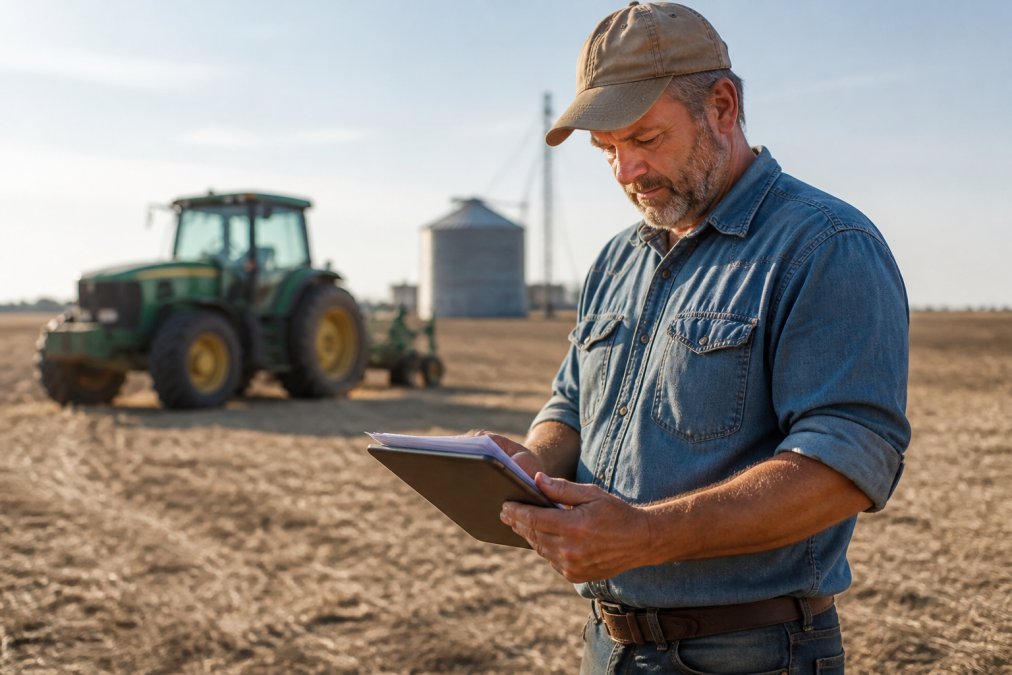
    A farmer in a dusty field reviewing financial documents on a tablet, with a tractor and grain silo blurred in the warm afternoon background
    A farmer in a dusty field reviewing financial documents on a tablet, with a tractor and grain silo blurred in the warm afternoon background

    A dedicated service brings operational efficiency. By categorizing expenses correctly throughout the year, you avoid the frantic scramble before tax deadlines and generate the financial reporting lenders expect, from profit and loss statements to balance sheets. Professional oversight turns your financial data into a decision-making tool rather than a historical record you dread reviewing.

    What to Look for in Accounting Services for Small Farms

    Choosing the right accounting services for small farms requires evaluating more than just price. The ideal provider should demonstrate experience with agricultural enterprises, not just general small business accounting. Ask about their familiarity with farm income averaging, capital expenditures, and the specific tax compliance issues that affect your crop or livestock type.

    Understanding Cash-Basis vs. Accrual Accounting

    Cash-basis accounting records income when cash is received and expenses when they are paid, making it popular among small farms because it aligns well with seasonal cash flow. Accrual accounting records income and expenses when they are earned or incurred, regardless of when cash changes hands, offering a more accurate picture of long-term profitability.

    Most small farms operate on a cash basis for tax purposes, which simplifies tax return preparation. However, many lenders prefer accrual-based statements because they reflect the true economic activity of the farm. A skilled accounting service will often maintain records on a cash basis for tax filings while using accrual adjustments internally, giving you tax efficiency and a realistic view of your farm’s financial health.

    Farm Tax Deductions for Independent Contractors and Farm Owners

    Farm owners often overlook deductions they are entitled to because they do not track expenses with tax compliance in mind. The IRS Schedule F (Form 1040) is the backbone of farm tax reporting, and its line items reveal the full breadth of deductible categories, from feed and seed to repairs and maintenance. The real value comes from understanding the less obvious, high-impact deductions that a generalist accountant might miss.

    Specific Deductions That Move the Needle

    Soil and Water Conservation Expenses (IRS Code Section 175): If you are implementing conservation practices like terraces, grassed waterways, or drainage systems, you may deduct up to 25% of your gross income from farming for these expenses in the year they are paid (irs.gov). This dollar-for-dollar deduction requires a conservation plan approved by the Natural Resources Conservation Service (NRCS).

    Depreciation and Section 179 Expensing: The IRS allows farmers to deduct the full cost of qualifying equipment in the year it is placed in service, up to a limit set annually under Section 179 (irs.gov). The IRS allows farmers to deduct the full cost of qualifying equipment in the year it is placed in service, up to a limit set annually under Section 179. Bonus depreciation under Section 168(k) allows an immediate deduction on new qualifying property. You must elect Section 179 on Form 4562, and the asset must be used more than 50% for business.

    Prepaid Farm Supplies (the “Feed Rule”): The IRS restricts prepaid expenses unless you meet the safe harbor exception for a business purpose. A dedicated farm accountant structures these purchases to stay within the safe harbor while still capturing the deduction.

    Farm Income Averaging (Schedule J): Farmers can elect to average their taxable income over the prior three years, smoothing out the tax liability from a spike year (irs.gov). This is particularly powerful for independent contractors who do custom harvesting or hauling, as those income streams can be highly volatile. The election is made on Schedule J and can only be revoked with IRS consent.

    The Independent Contractor Angle

    For farm owners who also do custom work for other farms, the deduction landscape multiplies. You must allocate vehicle expenses between the farm operation and the custom service business. The standard mileage rate is a common option, but many farmers find that the actual expense method yields a larger deduction when equipment is heavily used. The key is maintaining a contemporaneous mileage log that separates farm-use from custom-work-use miles.

    Deductions Specific to Livestock and Specialty Crops

    Livestock operations have unique rules. The cost of raising animals for sale is generally not deductible until the animals are sold, but feed, veterinary care, and breeding stock maintenance are deductible as ordinary expenses. Breeding cattle and specialty crops have specific depreciation rules. For specialty crop growers, the cost of establishing an orchard or vineyard must be capitalized and depreciated over its productive life.

    Watch Out
    A common red flag in farm audits is the misclassification of personal living expenses as farm business expenses. The IRS scrutinizes the farmhouse, personal vehicles, and family labor payments. A professional service will maintain a clear separation between personal and business accounts to protect your deduction claims.

    Best Accounting Software for Small Farms: DIY vs. Outsourced

    Cloud-based software options like QuickBooks Online offer strong features, including automated bank feeds and customizable reporting, which can be adapted for agricultural use. However, the data entry burden and the need to understand agricultural accounting principles still fall on you. QuickBooks is a solid choice, but it requires setup to handle specific agricultural accounting needs.

    The most significant pain point for small farms is bridging the gap between field-level operational data and financial records. Most farm owners track crop yields, livestock health, and input applications in a farm management system (FMS), while their financial data sits in accounting software. These two systems rarely talk to each other, forcing farmers to manually re-enter data or maintain parallel spreadsheets.

    This disconnect creates real problems. When you apply fertilizer in April, the cost should flow into your financial statements as a crop input expense. But if your FMS records the application rate and your accounting software records the invoice separately, you end up with two versions of the truth.

    Get Started Today →

    What Integration Actually Looks Like

    A modern accounting service for small farms should not just hand you a QuickBooks login, they should help you architect a data flow. Designate the FMS as the source of truth for operational metrics and the accounting software as the source of truth for financial transactions, with the integration layer connecting them by mapping cost centers and revenue streams.

    For example, a 500-acre corn and soybean operation might use Agworld to track applications per field. The accounting service sets up class tracking in QuickBooks by field or enterprise. When the input invoice arrives, it is coded to the correct class. At harvest, yield data from Agworld is matched against revenue in QuickBooks, allowing the farmer to see a true profit-per-acre calculation.

    Practical Integration Options for Small Farms

    Option 1: Manual Export/Import (Lowest Cost)
    Most FMS platforms allow you to export field-level cost and yield data to CSV. A bookkeeper can import this into QuickBooks monthly, mapping it to the correct accounts and classes. This is labor-intensive but works for farms under 1,000 acres with limited transaction volume.

    Option 2: Middleware Connectors
    Tools like Zapier or Workato can connect certain FMS platforms to accounting software, automating the transfer of invoice data or expense records. However, these connectors are often brittle and require ongoing maintenance. They work best when the FMS has a robust API.

    Option 3: Full-Service Integration Support
    Some accounting firms that specialize in agriculture offer integration setup as part of their onboarding. They will configure your QuickBooks chart of accounts to mirror your FMS field structure, set up automated bank feeds, and establish a monthly reconciliation workflow that ties operational data to financial statements. This is the highest-value approach because it removes the technical burden from the farmer.

    The Software Decision Framework

    When choosing software, the question is not just “QuickBooks vs. a human”, it is “what software stack supports my operational data flow?” For most small farms, accounting software that supports class tracking, location tracking, and project profitability is the right financial hub. Other alternatives exist, but some may be too simplistic for farm operations that need inventory tracking for livestock or multi-enterprise reporting.

    Option Best For Key Advantage Main Drawback
    DIY Software (e.g., QuickBooks) Farms comfortable with data entry Lower monthly cost, full control Requires accounting knowledge, time commitment
    Outsourced Service Owners focused on operations Done-for-you books, expert guidance Monthly fee, less hands-on control
    Hybrid Approach Growing farms needing strategy Software access plus expert review Requires clear communication
    FMS + Accounting Integration Farms tracking field-level profitability Eliminates duplicate data entry, enables per-field P&L Setup complexity, ongoing maintenance
    Key Takeaway
    The real competitive advantage is not choosing between software and a professional, it is building a technology stack where your operational data (what happens in the field) and your financial data (what happens in the bank) tell the same story. A dedicated accounting service should be able to architect this integration for you, not just hand you a login.

    Outsourcing to a professional service removes the data entry burden entirely, but the best services go further by actively managing the integration between your FMS and your accounting platform. If you are spending weekends reconciling field records against bank statements instead of managing your operation, the cost of a service that handles this integration is easily justified.

    Managing Seasonal Cash Flow and Financial Forecasting

    Cash flow management is the most persistent challenge for farm owners. Revenue arrives after harvest or livestock sales, but expenses for inputs and labor occur months earlier. Effective accounting services for small farms focus on forecasting these seasonal cycles, helping you plan for periods of low cash balance and avoid expensive short-term borrowing.

    Financial forecasting involves projecting income and expenses for the upcoming fiscal year based on historical data and current market conditions. A good accountant will help you build a budget that accounts for variability in yields and prices, and assist in structuring loan applications by presenting a clear picture of your farm’s ability to repay debt. This proactive planning separates thriving farms from those constantly stressed about making payroll or paying suppliers.

    Your Farm Bookkeeping Checklist for Tax-Ready Records

    Staying organized throughout the year is the secret to a stress-free tax season. Rather than sorting through a shoebox of receipts in March, implement a routine that keeps your records audit-ready. This farm bookkeeping checklist keeps you on track month by month:

    • Reconcile bank and credit card accounts monthly to catch errors early.
    • Categorize all expenses immediately, separating personal from business purchases.
      • Track inventory of supplies, feed, and livestock to ensure accurate cost of goods sold.
    • Record all income, including government program payments, in the correct period.
    • Maintain a mileage log for all farm vehicles and equipment used for business.
    • File all receipts for capital expenditures and major repairs for depreciation schedules.
    • Review your profit and loss statement quarterly to monitor trends.

    This level of organization supports audit support if you are ever reviewed by the IRS and makes year-end tax return preparation faster and more accurate. It also provides the financial reporting necessary for strategic planning.

    The Bottom Line on Farm Financial Management

    The complexity of agricultural finances demands more than a generic approach. From understanding farm tax deductions to managing seasonal cash flow, having a dedicated partner makes a measurable difference in your farm’s profitability. The right accounting services for small farms do not just keep your books; they provide the strategic foresight needed to navigate market fluctuations and invest wisely.

    At AMG Accounting, we specialize in translating complex financial data into plain English, offering everything from bookkeeping to fractional controller services tailored for small businesses and independent contractors. Get started with AMG Accounting and turn your financial records from a source of stress into a foundation for growth.

    Frequently Asked Questions

    What does a farm accountant do?

    A farm accountant handles more than data entry. They set up a chart of accounts tailored to your operation, categorize income and expenses correctly, and prepare financial statements like profit and loss reports. They also plan for tax obligations, track depreciation on equipment, and help you understand your cost of goods sold. Many services provide guidance on cash flow management so you can plan for slower months. The goal is to keep your books accurate for tax filing and to give you a clear view of which parts of your farm are profitable.

    What expenses can you write off for a farm?

    Common farm tax deductions include costs for seeds, feed, fertilizer, and livestock. You can also deduct expenses for fuel, repairs, and maintenance on farm vehicles and equipment. Hired labor wages, insurance premiums, and interest on farm loans are typically deductible. If you are an independent contractor, those deductions apply to your farm business. Do not overlook depreciation on capital expenditures like tractors or buildings, and keep receipts organized to support every deduction you claim.

    What bookkeeping software is best for small farms?

    The best software depends on your farm’s size and complexity. Accounting software that adapts to farm-specific charts of accounts is a common choice. Many farm owners use these tools themselves or share access with an accounting service, which keeps the books accurate without adding data entry to your day.