Table of Contents
- Why Receipt Organization Matters Before Tax Season
- How to Categorize Business Expenses for Tax Compliance
- Digital Receipt Management: Capture and Storage
- How Long to Keep Business Receipts and Records
- Set Up a Business Expense Spreadsheet Template
- Common Mistakes to Avoid When Organizing Receipts
- Prepare Your Receipts for Your Tax Preparer
- Frequently Asked Questions
Last Updated: October 10, 2026
Why Receipt Organization Matters Before Tax Season
Learning how to organize receipts for tax season prevents costly mistakes. When tax season arrives, you’re scrambling to find documentation, missing deductions, or worse, paying penalties for incomplete records.
The IRS requires business receipts for at least three years (How long should I keep records?). But organizing receipts isn’t just about compliance, it’s about cash flow visibility and tax savings.
The solution isn’t better software, it’s a system you actually use.
Consistent receipt organization reveals where your money goes, uncovers missed deductions, and reduces tax preparation fees.
This guide covers how to organize receipts for tax season by categorizing expenses, storing receipts digitally, and preparing documentation for your tax preparer.
How to Categorize Business Expenses for Tax Compliance
Correct categorization prevents missed deductions and ensures your records match your tax return.
Business expenses split into operating (day-to-day costs) and non-operating (less common, tax-relevant costs). The IRS treats them differently on your tax return.
Operating vs. Non-Operating Expenses
Operating expenses (rent, utilities, payroll, supplies, advertising) directly reduce taxable profit. Non-operating expenses (loan interest, asset losses) are handled separately on your tax return.
Cost of Goods Sold vs. Operating Expenses
COGS includes direct material costs (food inventory for restaurants, job materials for contractors). Operating expenses are everything else (payroll, rent, utilities, insurance). COGS is deducted first to calculate gross profit; operating expenses are deducted from gross profit to get net profit.
Track material costs separately from overhead so your tax preparer can report them correctly.
A Decision Framework for Borderline Expenses
Many expenses don’t fit neatly into a single category. Use this four-question framework to classify ambiguous purchases consistently:
1. Is this a direct cost of producing goods or services I sell?, If yes, it’s likely COGS (materials, subcontractor labor, production supplies)., If no, move to question 2.
2. Does this expense directly enable my business to operate day-to-day?, If yes, it’s an operating expense (rent, utilities, office staff, insurance)., If no, move to question 3.
3. Is this a financing cost, asset loss, or non-deductible personal expense?, If yes, it may be non-operating or non-deductible (loan interest, vehicle depreciation, personal meals)., If no, move to question 4.
4. Am I uncertain about deductibility or the correct tax treatment?, If yes, mark it for verification with your tax preparer or current IRS guidance before finalizing your return.
Worked Examples: How to Classify Common Borderline Expenses
Software subscriptions. A project management tool used by your team is an operating expense. Personal tax software is not deductible. The rule: if it directly supports business operations, it’s operating; if it’s personal, it’s not deductible.
Meals and entertainment. Meals with clients or team members for business purposes are deductible (generally 50% under current rules) (Publication 463 (2025), Travel, Gift, and Car Expenses). Solo meals are not deductible.
Equipment purchases. Items under $2,500 that wear out within a year are supplies; items over that threshold are assets to be depreciated.
Vehicle expenses. Deduct either actual expenses or the standard mileage rate (66.5 cents per mile for 2024). Track business miles separately; commuting is never deductible.
Owner draws and owner expenses. Owner withdrawals are not expenses, they reduce equity. Personal expenses paid from a business account are not deductible unless exclusively for business.
Important caveat: Bookkeeping categories and tax deductibility are not the same.
Digital Receipt Management: Capture and Storage
Digital storage prevents loss and fading. The IRS accepts digital copies if they’re clear and complete. Capture receipts immediately, organize by month and category, and back up files.
Tools for Scanning and Storing Receipts
A smartphone camera plus cloud storage (Google Drive, Dropbox) works for most small businesses. Mobile apps like Expensify are worth the cost if you handle 100+ receipts monthly. For fewer receipts, a spreadsheet with organized folders is sufficient.

How Long to Keep Business Receipts and Records
Keep business receipts for at least four years. Keep depreciation receipts for as long as you own the asset, plus three years after sale. Payroll records require four years. State rules may differ, check with your tax preparer. Digital storage prevents fading and loss.
Set Up a Business Expense Spreadsheet Template
A simple spreadsheet tracks expenses and catches errors before tax season. Essential columns: date, vendor, category, amount, notes, and receipt file location (if storing digitally).
Essential Columns and Data Fields
Date: Use MM/DD/YYYY format. Vendor: Include name clearly. Category: Use consistent names matching your chart of accounts. Amount: Full receipt amount. Notes: Context details. Receipt file location: File path or link if storing digitally.
Review your spreadsheet monthly. Spot duplicate entries, categorization errors, or unusual amounts. Monthly review takes 30 minutes and catches problems early.
Mapping Spreadsheet Categories to Your Tax Return
Your bookkeeping categories should align with how the IRS expects you to report expenses on your tax return. This prevents confusion during tax prep and ensures your tax preparer can pull numbers directly from your spreadsheet.
If you’re a sole proprietor, your expenses ultimately report on Schedule C (Profit or Loss from Business). Schedule C groups expenses into specific lines: cost of goods sold, gross profit, and operating expenses (rent, utilities, wages, supplies, depreciation, and others).
Create your spreadsheet categories to match these Schedule C lines. For example:
- “Materials” or “Inventory” → Cost of Goods Sold
- “Rent” → Rent or Lease
- “Office Supplies” → Supplies
- “Advertising” → Advertising
- “Vehicle Mileage” → Car and Truck Expenses
- “Meals with Clients” → Meals and Entertainment (if deductible under current rules)
If you’re an S-corporation or partnership, your tax return uses different forms (Form 1120-S or Form 1065). Ask your tax preparer which categories they need and set up your spreadsheet to match. This saves hours of reclassification work in January.
Do not assume a category is deductible just because you created it. A bookkeeping label does not determine tax treatment.
Monthly Review and Reconciliation
Set aside 30 minutes at the end of each month to review your expense spreadsheet. Check three things: completeness, accuracy, and categorization.
Completeness: Did you capture all receipts? Check your credit card and bank statements for transactions you might have missed. Look for recurring charges (subscriptions, insurance, utilities) that you may have forgotten to log.
Accuracy: Do the amounts match your receipts? Typos happen. Catch them now, not during tax prep. If an amount is wrong, correct it immediately and note the change in a “Corrections” column or a separate log.
Categorization: Are expenses in the right categories? If you’re unsure, make a note to ask your tax preparer. Consistency matters more than perfection. If you recategorize a transaction, document why (example: “Moved to Meals, was incorrectly labeled as Office Supplies”).
Monthly reconciliation prevents a nightmare in January. You’ll catch missing receipts while you remember the transaction. You’ll spot categorization patterns that need adjustment. You’ll know your actual monthly expenses instead of guessing.
Maintaining an Audit Trail and Handling Corrections
If you miscategorize a transaction or discover a duplicate entry, don’t simply delete or overwrite it. Keep a record of what changed and why. This audit trail protects you if the IRS ever questions your records.
For corrections:
- Add a “Correction” column to your spreadsheet, or maintain a separate “Changes Log.”
- Note the original entry, the corrected entry, the date of correction, and the reason.
- Example: “Original: Office Supplies $150 on 1/15. Corrected to Meals $150 on 1/20 (receipt shows restaurant charge).”
- Do not delete the original entry; instead, mark it as “Corrected” and reference the new entry.
For duplicates:
- If you discover you logged the same transaction twice, mark one as “Duplicate, see entry #42” and keep both rows visible.
- This shows you caught the error and corrected it, rather than hiding the mistake.
For reconciliation:
- At the end of each month, compare your spreadsheet total to your bank and credit card statements.
- If they don’t match, investigate the difference. Common causes: outstanding checks, pending deposits, or a data entry error.
- Document any reconciliation adjustments in your notes column.
Keeping a clear record of changes demonstrates good record-keeping practices and protects you in an audit. The IRS expects you to have supporting documentation and a logical explanation for your numbers.
Common Mistakes to Avoid When Organizing Receipts
Most small business owners make the same mistakes with receipt organization. Knowing what to avoid saves time and money.
Mixing personal and business expenses. Keep personal receipts completely separate.
Waiting until tax season. Organizing receipts in December is painful. You’ve forgotten half the transactions. You can’t find receipts.
Using inconsistent category names. If you call an expense “Office Supplies” one month and “Supplies” the next, your categories fragment.
Keeping receipts in a shoebox. Paper gets lost, fades, and takes up space. Scan or photograph receipts within a week.
Forgetting to document cash expenses. Cash is easy to spend and easy to forget.
Not keeping receipts for small purchases. The IRS requires receipts for all expenses, even $5 coffee purchases. Small expenses add up. Keep every receipt.
Losing track of mileage and vehicle expenses. If you use a vehicle for business, track mileage separately. The IRS allows a standard mileage deduction.
Prepare Your Receipts for Your Tax Preparer
Your tax preparer needs organized, complete documentation. Disorganized receipts mean higher preparation fees and incomplete deductions.
Two weeks before meeting your tax preparer, do a final review. Make sure your spreadsheet is complete. Check that digital receipts are readable.
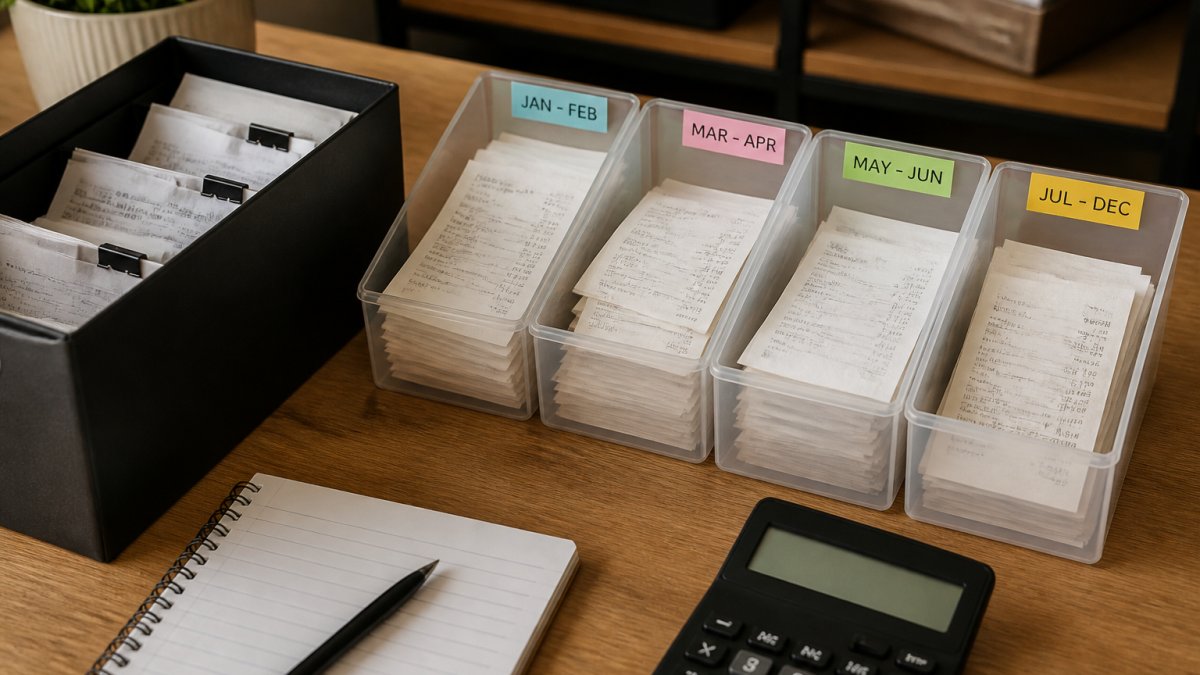
Organize receipts by month and category in a folder (digital or physical). Include your expense spreadsheet. Add a summary note listing any questions or unusual transactions.
If you’re using accounting software like QuickBooks, make sure it’s up to date. Your tax preparer can pull reports directly.
Clear documentation makes tax preparation faster and cheaper. It also ensures you capture every deduction you’re entitled to. A few hours of organization now saves money in preparation fees and avoids audit risk.
At AMG Accounting, we help small business owners organize receipts and prepare for tax season. We organize your records so your tax preparer has everything they need, and explain your numbers in plain English.
Frequently Asked Questions
What receipts should a small business keep for taxes?
Keep receipts for all business expenses that support tax deductions: payroll, rent, utilities, office supplies, equipment, advertising, travel, meals, vehicle expenses, professional fees, and software subscriptions. The IRS requires supporting documentation for Schedule C deductions. For meals and entertainment, keep receipts showing the amount, date, location, and business purpose. Retain receipts even if your accounting software tracks the transaction, the receipt is your proof if audited.
Can I use digital copies of receipts for tax records?
Yes. Digital copies are acceptable to the IRS as long as they’re clear, legible, and complete. Scan or photograph receipts to create a digital archive, and store them in a secure location with backup copies. Digital receipt management tools automatically organize and timestamp your records. However, keep original paper receipts for at least three to seven years in case of an audit. Many small business owners find digital storage easier to search and organize than filing cabinets.
How do I organize receipts if my records are currently a mess?
Start by gathering all receipts and sorting them by month and category. Use a spreadsheet or accounting software to log each transaction with the date, vendor, amount, and expense category. Photograph or scan receipts as you go. For past months, focus on the current tax year first, then work backward. If cleanup feels overwhelming, consider working with a bookkeeper who can help you establish a system and catch up on categorization without months of painful manual work.
What is the best way to organize receipts for a tax preparer?
Organize receipts by category (payroll, rent, supplies, travel, etc.) and provide them in chronological order within each category. Include a summary spreadsheet showing total expenses by category. Clearly label any borderline expenses with a note explaining the business purpose. Digital receipts should be organized in folders by month or category. Provide a list of any missing receipts and an explanation. The clearer your organization, the faster your tax preparer can complete your return and the lower your preparation costs.
Organizing receipts before tax season transforms tax preparation from stressful to straightforward. You’ll know your actual expenses, catch deductions, and give your tax preparer clean documentation. Start with a simple system: photograph receipts, use a spreadsheet or app, and review monthly. By tax season, you’ll be ready. Let AMG Accounting help you build a system that works for your business.