
Category: Blog

  • Bench Alternatives for Construction Companies

    Bench Alternatives for Construction Companies

    Table of Contents

    Last Updated: September 22, 2026

    Why Construction Companies Are Switching From Bench

    Bench alternatives construction solutions address a fundamental mismatch: generic bookkeeping software wasn’t built for the complexities of construction accounting. Construction firms deal with job costing, retainage, progress billing, and equipment depreciation that standard platforms simply don’t handle well.

    Contractors switching away from Bench cite the same recurring problems. The platform treats all businesses the same, which means construction-specific workflows get forced into generic templates. Job costing becomes a workaround instead of a core feature. Retainage tracking requires manual workarounds. Field operations and office accounting never truly sync.

    The real issue isn’t Bench’s quality as a bookkeeping service. It’s that construction businesses need something fundamentally different. A general contractor managing multiple projects simultaneously needs visibility into which jobs are profitable, which are bleeding money, and why. Bench wasn’t designed with that lens.

    When construction companies evaluate bench alternatives, they’re really asking: “Will this platform understand how we actually work?” That’s why specialized construction accounting software and fractional controller services have gained traction. They start from construction workflows, not from generic bookkeeping templates.

    Construction Job Costing Software: Beyond Generic Bookkeeping

    Job costing is where construction accounting diverges most sharply from standard bookkeeping. A job costing system tracks costs by project, phase, or phase component, then compares actual spending against estimates.

    Here’s what that means in practice: You bid a kitchen remodel at $45,000. Your estimate breaks down labor, materials, and overhead by task. As work progresses, every expense gets tagged to that specific job. At any point, you can see whether labor is running over, whether material costs matched your assumptions, and whether the job will hit your margin target.

    Generic bookkeeping platforms like Bench record expenses and generate P&L statements. Construction job costing software goes deeper. It tracks costs against budgets in real time, flags overruns before they become problems, and shows which jobs are actually profitable after all expenses are accounted for.

    This distinction matters because construction margins are thin and project-specific. A contractor might be profitable overall but losing money on specific jobs. Without job costing visibility, that contractor won’t know which projects to avoid or how to price future work more accurately.

    Bench alternatives for construction companies typically embed job costing as a core feature, not an add-on. That’s the key differentiator.

    Bench Alternatives for Construction Companies: Feature Comparison

    Tool Best For Key Strength Mobile Access
    Contractor Foreman Small to mid-sized general contractors All-in-one field operations + accounting integration Yes, field-to-office sync
    Houzz Pro Residential remodelers and home builders Client-facing project management + marketing Yes, visual project planning
    BuildOps Commercial contractors and service firms Dispatching + real-time billing workflows Yes, technician scheduling
    Autodesk Build Large general contractors, complex projects Document control and compliance management Yes, field-based access
    AMG Accounting Construction firms seeking strategic guidance Industry-specialized fractional controller services N/A (consulting-based)

    Contractor Foreman: All-in-One Field-to-Office Management

    Contractor Foreman positions itself as an affordable alternative to enterprise construction management platforms. The tool includes over 35 features: time cards, estimates, daily logs, inspections, and integrated accounting for job costing and expense tracking.

    The field-to-office synchronization is the core value. A crew member logs time and materials on a mobile device. That data flows directly into the accounting system, eliminating manual data entry and reducing the lag between field work and financial reporting.

    Contractor Foreman integrates with QuickBooks Online and Desktop, which matters if you’re already using QuickBooks for general ledger and tax prep.

    The trade-off: the extensive feature set creates a learning curve. New users often need time to understand the workflow and configure it for their specific business. But once configured, the time savings are real.
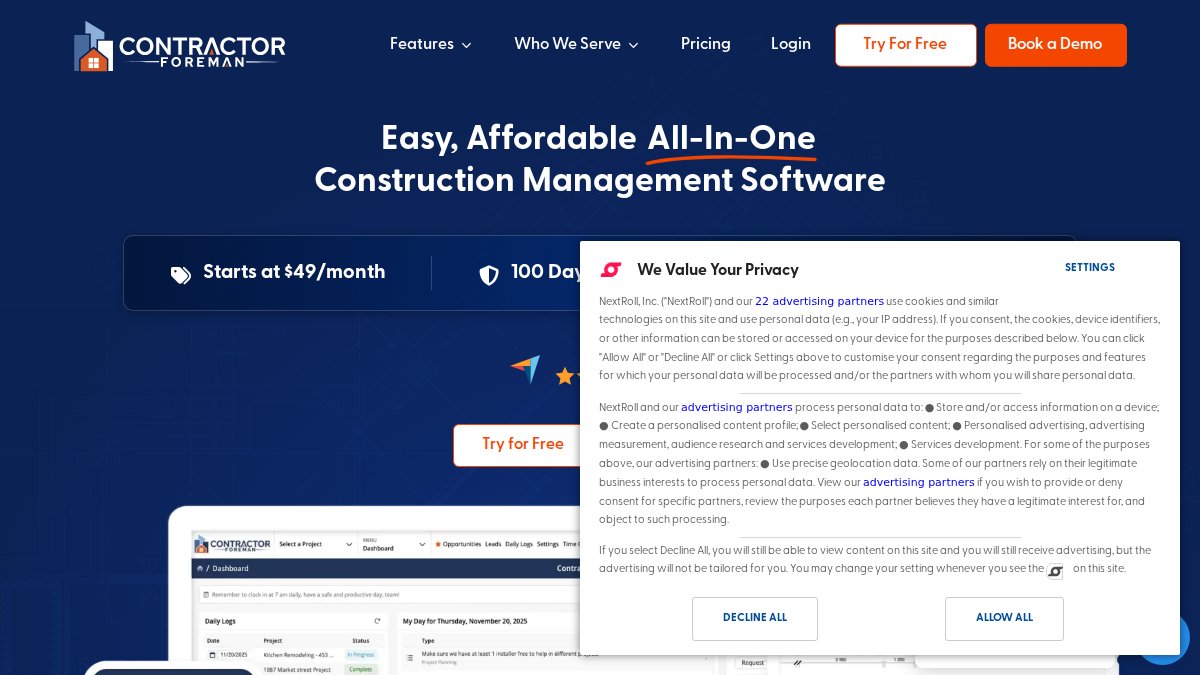
    Screenshot of contractorforeman.com interface
    Contractorforeman website

    Houzz Pro: Residential Construction and Remodeling Focus

    Houzz Pro is purpose-built for residential remodelers and home builders. It combines CRM tools for tracking leads, project management with 3D floor planners and mood boards, financial tools for estimates and invoicing, and integrated marketing services.

    The strength here is client-facing workflow. A remodeler can create visual project plans, share them with clients, and manage the entire customer relationship within one platform. For firms that compete on design and customer experience, this matters.

    The financial tools handle estimates, invoices, and expense tracking, but they’re secondary to the project management and marketing features.

    BuildOps: Commercial Contractor Accounting and Dispatching

    BuildOps specializes in commercial contractors and service-heavy operations. The platform integrates dispatching and scheduling for field technicians with project management and accounting workflows.

    Real-time dispatching is the differentiator. As jobs come in, BuildOps assigns technicians, tracks their location and progress, and automatically generates billing based on completed work. For service-based contracting (HVAC, plumbing, electrical), this workflow is essential.

    Get Started Today →

    The reporting and analytics are strong. You can track job profitability, identify which technicians are most efficient, and see which service types generate the highest margins. That data drives better pricing and resource allocation decisions.
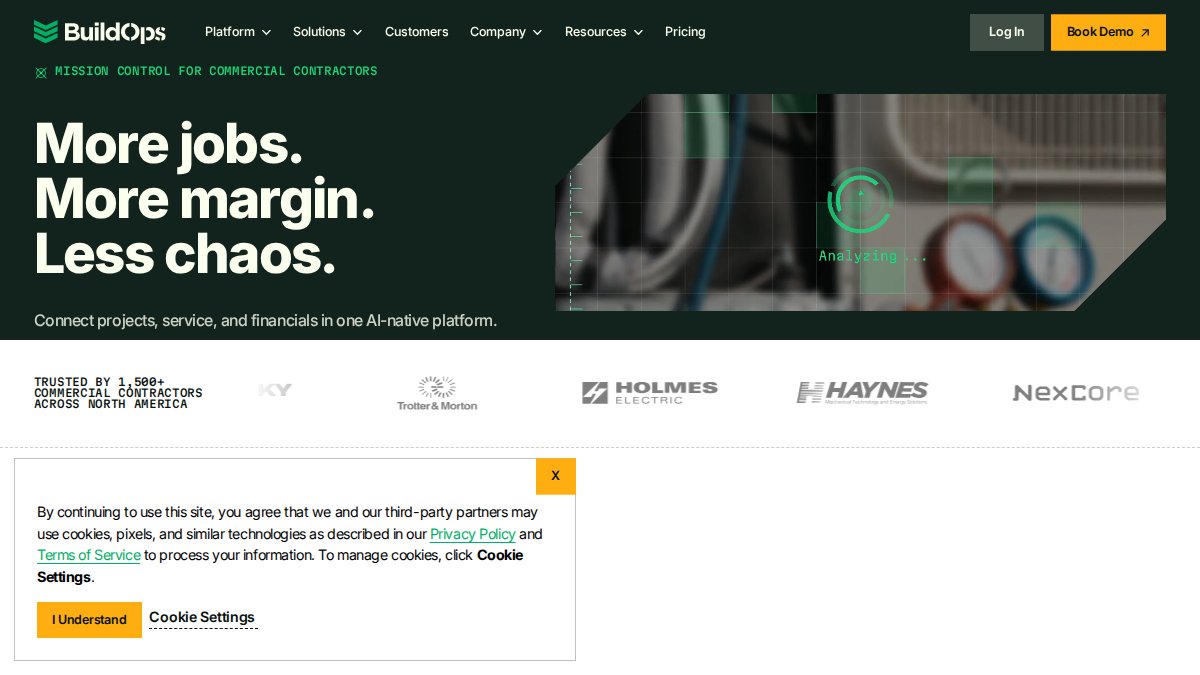
    Screenshot of buildops.com interface
    BuildOps: Commercial Contractor Management Software

    Autodesk Build: Enterprise-Grade Project and Document Control

    Autodesk Build is the enterprise option. It’s designed for large general contractors managing complex, multi-phase projects with extensive document and compliance requirements.

    The platform excels at document management and version control for blueprints, change orders, RFIs, and submittals. Quality and safety management tools help enforce field compliance. Cost management modules track budgets and change orders across projects. Integrating these specialized construction management tools ensures that complex life safety and low voltage requirements remain synchronized with broader project workflows.

    This is overkill for small residential contractors but essential for firms managing $50M+ in annual projects. The complexity and cost reflect that positioning.
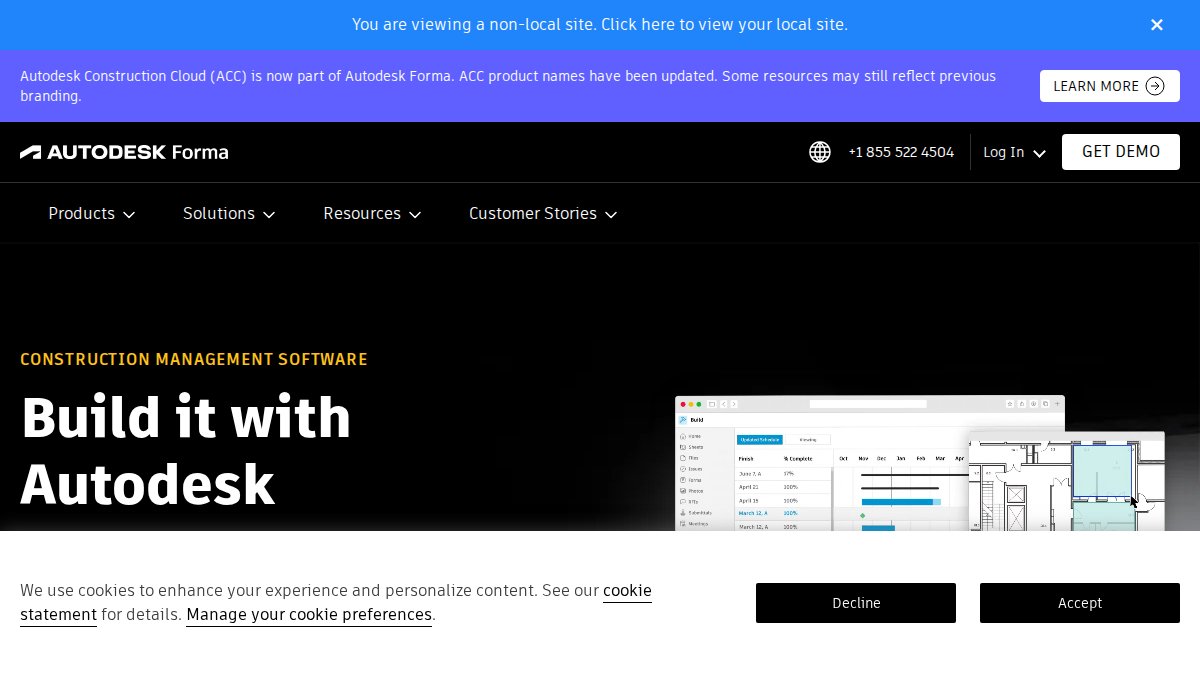
    Screenshot of construction.autodesk.com interface
    Construction Management Software | Autodesk Construction Cloud

    AMG Accounting: Industry-Specialized Fractional Controller Services

    AMG Accounting takes a different approach than software-first solutions. Rather than implementing another platform, construction firms get a fractional controller who understands construction accounting and provides strategic financial guidance.

    This matters because construction bookkeeping and tax prep are only part of the problem. Many contractors struggle with cash flow management, job profitability analysis, and pricing strategy. A fractional controller works alongside your team to answer these questions: Which jobs are actually profitable? Why is cash flow tight despite strong revenue? How should we price future work?

    AMG Accounting handles everything from basic bookkeeping and tax preparation to SOP writing and dashboard creation for KPI tracking.

    Fractional Controller for Construction: When You Need Strategic Financial Guidance

    A fractional controller isn’t a bookkeeper or a tax preparer. It’s a part-time CFO who provides strategic financial guidance without the full-time cost.

    Construction Bookkeeping Best Practices: What Bench Misses

    Bench alternatives construction platforms often emphasize features that standard bookkeeping solutions overlook. Understanding these best practices clarifies what to look for.

    Full-Service Accounting vs. DIY Software: Total Cost of Ownership

    The choice between DIY software and full-service accounting isn’t just about the monthly fee. Total cost of ownership includes your time, the learning curve, and the opportunity cost of not having strategic guidance.

    DIY software (like Bench alternatives that are self-service platforms):

    • You manage data entry, bank reconciliation, and financial reporting
    • Monthly cost is lower ($50-300 depending on the platform)
    • You handle tax prep or pay separately for a CPA
    • Time investment is significant: 10-20 hours per month for most small contractors
    • You won’t get strategic guidance on job profitability or cash flow optimization

    Full-service accounting (like fractional controller services):

    • A professional handles bookkeeping, tax prep, and strategic analysis
    • Monthly cost is higher (varies, but typically $500+ depending on complexity)
    • You get proactive guidance on profitability and cash flow
    • Your time investment drops dramatically: maybe 2-5 hours per month for coordination
    • You gain strategic insights that can improve pricing and project selection

    How to Choose the Right Bench Alternative for Your Construction Business

    Start by defining your specific pain point. Are you struggling with job costing accuracy? Is cash flow management the issue? Do you need field operations integration? The answer shapes which alternative makes sense.

    Construction business owner reviewing financial reports and bench alternatives construction data on a laptop.
    Construction business owner reviewing financial reports and bench alternatives construction data on a laptop.

    Frequently Asked Questions

    What does ‘bench’ mean in construction accounting?

    In construction, ‘bench’ typically refers to unused labor capacity or idle crew members not actively assigned to billable projects. However, when discussing Bench as a software alternative, you’re looking at a general-purpose bookkeeping platform. Bench alternatives for construction are specialized tools that handle job costing, project profitability tracking, retainage accounting, and field-to-office workflows that generic bookkeeping software misses.

    Why should construction companies use specialized accounting instead of general bookkeeping software?

    Construction has unique financial needs: job costing by project, retainage holdbacks, change orders, equipment depreciation, and seasonal cash flow swings. General bookkeeping software treats all revenue as one stream. Construction job costing software tracks profitability per job, identifies cost overruns before they spiral, and handles compliance with prevailing wage and lien laws. Specialized tools also integrate with field operations, reducing manual data entry and improving real-time visibility.

    Is it cheaper to hire a part-time bookkeeper or use a Bench alternative?

    Cost depends on your construction firm’s size and complexity. Full-service alternatives, such as a fractional controller for construction, cost more upfront but eliminate manual data entry, reduce errors, and provide strategic financial guidance. Total cost of ownership favors outsourced services if your time is better spent on sales or operations.

    What construction bookkeeping best practices do I need to implement?

    Key practices include: separate job codes for every project to track profitability; reconcile accounts monthly to catch errors early; track retainage and holdbacks separately to avoid cash flow surprises; categorize expenses by job and cost type for accurate job costing; maintain mobile time tracking for accurate labor allocation; and review financial dashboards weekly to spot cash flow tightness before it becomes critical. Construction bookkeeping best practices also require documenting lien waivers and maintaining compliance records for tax purposes.

    What’s the difference between a fractional controller and a bookkeeper for construction?

    A bookkeeper records transactions and maintains accurate records. A fractional controller for construction does that plus interprets the data, identifies trends, forecasts cash flow, recommends cost-cutting strategies, and guides business decisions. For construction firms managing multiple projects, a fractional controller analyzes job profitability, flags underperforming contracts early, and helps you understand why cash flow is tight despite healthy revenue. This strategic layer transforms accounting from a compliance task into a business intelligence tool.


  • What to Look for in Bookkeepers: A 2026 Hiring Guide

    What to Look for in Bookkeepers: A 2026 Hiring Guide

    Table of Contents

    Last Updated: September 21, 2026

    Essential Qualities and Skills Your Bookkeeper Needs

    Hiring the wrong person to manage your books costs far more than a monthly fee. It costs you clean financial reporting, audit readiness, and the confidence to make decisions with real numbers. When you know what to look for in bookkeepers, you protect your business from months of cleanup work and missed deductions. This guide breaks down the skills, interview questions, and contractual safeguards that separate a competent professional from an expensive mistake.

    The best bookkeepers combine technical precision with clear communication. They reconcile bank accounts on schedule, maintain data integrity in your general ledger, and explain what the numbers actually mean for your cash flow. Without both skill sets, you end up with accurate records nobody understands, or friendly advice built on unreliable data.

    Technical Skills That Matter Daily

    Daily competence shows up in how a bookkeeper handles financial transactions, bank reconciliation, and accounts payable and receivable. Ask candidates to walk through their month-end close process step by step. A strong answer covers journal entries, reconciliation timing, and how they catch discrepancies before they compound.

    Software proficiency is non-negotiable. Most small businesses run cloud accounting platforms, so familiarity with bookkeeping software like QuickBooks or Xero matters. But depth beats brand names. A bookkeeper who understands how the general ledger ties to the balance sheet and profit and loss statement will adapt to any platform.

    Pro Tip
    Ask candidates to describe their last reconciliation discrepancy. Bookkeepers who can explain how they traced a variance to its source, rather than just fixing the balance, are the ones who prevent problems instead of patching them.

    Communication and Soft Skills That Prevent Headaches

    Clear communication prevents most bookkeeping disasters before they start. Your bookkeeper should translate financial reporting into plain language, flag cash flow management concerns early, and ask clarifying questions instead of guessing at categorization.

    Confidentiality is equally important. Your bookkeeper sees payroll processing details, vendor management records, and account balances. Ask directly how they handle sensitive data, who else on their team has access, and what happens if they’re unavailable during tax season. Vague answers here are a warning sign.

    Bookkeeper Interview Questions That Reveal Real Competence

    The right questions expose real competence instead of rehearsed answers. Skip “tell me about yourself” and ask candidates to walk through specific scenarios. How do they handle a client who hasn’t reconciled in eight months? What’s their process for categorizing ambiguous expenses?

    Business owner and professional bookkeeper reviewing financial documents and a laptop screen in a home office
    Business owner and professional bookkeeper reviewing financial documents and a laptop screen in a home office

    Core interview questions and what a strong answer includes:

    • Walk me through your month-end close checklist from memory. Strong answers name the sequence: reconcile bank and credit card accounts, post accruals and depreciation, review the general ledger for miscategorized items, tie out the balance sheet, then produce the profit and loss and balance sheet. Weak answers say “I just close the books.”
    • How do you handle a vendor who keeps submitting duplicate invoices? Strong answers describe a three-way match (purchase order, receiving report, invoice), a vendor master cleanup, and a note in the vendor record. Weak answers say they’d “just delete the duplicate.”
    • Walk me through how you’d prepare a client for quarterly reporting. Strong answers mention estimated tax payments, a reconciliation of year-to-date profit, and flagging any unusual spikes before the CPA sees them. Weak answers treat quarterly reporting as a report-generation task.
    • What’s your process when a client’s records don’t match their bank statements? Strong answers describe a reconciliation workflow: start with the last reconciled statement, identify outstanding checks and deposits in transit, then trace the variance to a specific transaction. Weak answers say they’d “ask the client.”
    • How do you stay current on tax filing changes that affect small businesses? Strong answers name a specific habit, reading IRS publications, attending continuing education, or subscribing to a tax newsletter. Weak answers say they “keep up.”

    Follow-up probes that separate systems-thinkers from transaction-processors:

    • “What would you have done differently in that situation?”, reveals whether they reflect on process or just execute tasks.
    • “How would you document that so the next person could repeat it?”, reveals whether they build systems or rely on memory.
    • “When would you escalate this to a CPA instead of handling it yourself?”, reveals whether they understand the boundary between bookkeeping and tax advice.
    Pro Tip
    Ask every candidate the same five questions in the same order, and score them immediately after the interview, not the next day. Memory fades, and a scorecard written from notes beats a gut feeling every time.

    Understanding the Cost of Bookkeeping Services

    Watch Out
    Beware of quotes that seem dramatically lower than everyone else. Low pricing often means limited reconciliation, no financial reporting, or a bookkeeper juggling too many clients to catch errors. You’ll pay for the cleanup later, usually at a higher rate.

    A cost-benefit analysis helps here. Compare the monthly fee against the hours you currently spend on bookkeeping, the errors you’re likely missing, and the tax deductions you may be leaving on the table. For most small businesses, outsourced bookkeeping pays for itself once you factor in time saved and improved financial accuracy.

    Signs of a Bad Bookkeeper and How to Spot Them Early

    The signs of a bad bookkeeper show up long before tax season. Unreconciled accounts, missing documentation, and vague answers about your financial position are early warnings. If your bookkeeper can’t produce a clean balance sheet on request, something is wrong.

    Vetting for Tax Compliance Knowledge and Tech Integration

    Tax compliance knowledge separates a data-entry clerk from a true professional. Ask candidates how they handle sales tax filing, quarterly estimates, and year-end preparation. They should know when to loop in a CPA and how to keep records audit ready.

    Vetting Area What to Ask Red Flag
    Tax compliance How do you handle quarterly estimates? “That’s your CPA’s job”
    Software integration Which platforms have you connected? Only manual data entry
    Data integrity How do you catch errors? No reconciliation process

    Contractual Safeguards and Transitioning from DIY

    Clauses your service agreement should address:

    • Data ownership. State explicitly that you own your financial data and that the bookkeeper will export it in a standard format (CSV or a native accounting file) within a set number of days of termination. Without this clause, you can lose access to your own general ledger.
    • Access and credentials. Require that all logins be issued under your business’s account, not the bookkeeper’s personal account. If the bookkeeper leaves, you revoke access, you don’t have to chase them for a password.
    • Turnaround and response times. Define how many business days the bookkeeper has to respond to a question and how many days after month-end the close will be delivered. Vague “reasonable time” language is unenforceable.
    • Error correction and liability. Specify who pays for cleanup if the bookkeeper makes an error, and cap the liability. Most independent bookkeepers carry errors and omissions insurance; consider asking for a certificate of insurance before signing.
    • Confidentiality and subcontractors. If the bookkeeper uses a team or offshore subcontractors, the agreement should name who has access to your data and require signed confidentiality terms from each.
    • Termination and transition. Require a written transition plan: a final reconciliation, a closing checklist, and a handoff of all source documents.

    Transitioning from DIY bookkeeping: a cleanup checklist.

    • Reconcile every bank and credit card account to the most recent statement you can access.
    • Gather prior-year tax returns and any filed sales tax returns.
    • List every account, loan, and credit card the business uses, including ones you may have stopped using.
    • Separate personal and business transactions, commingled accounts are the single biggest source of cleanup time.
    • Export your current accounting file and back it up before granting access.
    • Ask the bookkeeper to scope the cleanup in writing, with an estimated number of hours and a completion date.
    Watch Out
    Never grant full access to your bank or accounting system before a signed agreement is in place. A handshake and a verbal scope are not protection, they’re a liability.

    AMG Accounting handles this transition regularly for small businesses, scoping cleanup work upfront so owners know exactly what to expect before any records change hands.

    Key Takeaway
    The best bookkeepers combine technical skill, clear communication, and contractual accountability. Vet all three before you hand over your financial records.

    Frequently Asked Questions

    What are the top 3 to 5 skills that make a great bookkeeper?

    A great bookkeeper needs more than data entry speed. Look for proficiency with cloud accounting software like QuickBooks, a solid grasp of bank reconciliation and general ledger maintenance, and working knowledge of tax compliance basics. Communication matters just as much: they should explain financial reports in plain English. Finally, industry expertise, whether construction job costing or restaurant cash flow, separates a competent bookkeeper from a great one for your specific business.

    How much should I expect to pay a bookkeeper?

    The cost of bookkeeping services depends on transaction volume, software needs, and whether you require catch-up work. Hourly rates for freelance bookkeepers vary widely, while monthly packages from firms often include reconciliation, reporting, and support. Pricing depends on your specific needs and the scope of services. For an accurate quote tailored to your business, visit AMG Accounting’s website to discuss your specific needs and get current pricing.

    What certifications should a professional bookkeeper have?

    Certifications signal commitment and up-to-date knowledge. The most recognized credentials include Certified Bookkeeper (CB) from the American Institute of Professional Bookkeepers and QuickBooks ProAdvisor certifications. For broader expertise, a Certified Public Accountant (CPA) license is a strong indicator, though not required for bookkeeping. Always verify certifications directly with the issuing body and ask how they stay current with tax law changes.

    How do I know if a bookkeeper understands my industry’s specific needs?

    Ask targeted questions during the interview. For construction, ask about job costing, retainage, and change orders. For restaurants, ask how they handle seasonal cash flow and inventory tracking. A bookkeeper with relevant experience will give specific examples, not generic answers. Request references from similar businesses and review sample reports. If they hesitate or speak only in generalities, keep looking.


    Finding the right bookkeeper means looking past the resume and testing for real competence, compliance knowledge, and communication style. AMG Accounting provides big-firm expertise at a price built for small businesses, with plain-English explanations, comprehensive services from bookkeeping to fractional controller support, and a personalized partnership that keeps your cash flow healthy and your business compliant. Get started with AMG Accounting and stop stressing about your books.

  • 7 Tax Deductions for Independent Contractors

    7 Tax Deductions for Independent Contractors

    Table of Contents

    Last Updated: September 20, 2026

    7 Tax Deductions for Independent Contractors

    Independent contractors face a unique tax challenge: you’re responsible for both the employer and employee portions of self-employment tax, which means maximizing legitimate business deductions isn’t optional, it’s essential to your bottom line. According to the IRS guidance on self-employment tax, contractors who miss deductions can overpay by thousands annually. This guide from AMG Accounting breaks down the 7 tax deductions for independent contractors that most people overlook, along with how to document them properly so you’re audit-ready year-round.

    Below, we’ll walk you through each deduction category, explain what qualifies, and show you exactly how to track it so the IRS has nothing to question.


    1. Home Office Deduction

    Your home office is one of the most misunderstood deductions. You can only claim it if you use a dedicated space regularly and exclusively for business, your kitchen table doesn’t qualify, but a spare bedroom converted to an office does.

    Two methods exist: the simplified method and the actual expense method. The simplified approach lets you deduct $5 per square foot (up to 300 square feet, capping out at $1,500 per year). The actual expense method requires you to calculate your home’s depreciation, utilities, rent or mortgage interest, insurance, and repairs allocated to your office space. For most independent contractors, the simplified method is easier, but if you have a large dedicated office space, the actual expense method often yields bigger deductions.

    Keep detailed records of your office dimensions and photos showing it’s used exclusively for business. If you switch methods mid-career, the IRS scrutinizes the change, so pick one and stick with it.

    Pro Tip
    The home office deduction is one of the most audited deductions for independent contractors. Document the exclusive business use clearly, photos of your setup, a floor plan with measurements, and a log showing when you work there strengthen your position if questioned.

    2. Business Mileage Deduction Rate and Vehicle Expenses

    The standard mileage rate for business use is currently 67 cents per mile (this rate changes annually, so check the IRS standard mileage rates each year). Track every business mile: client visits, supply runs, job site travel, and meetings all count.

    You have two options: claim the standard mileage rate or deduct actual vehicle expenses (gas, maintenance, insurance, depreciation). Most independent contractors benefit from the standard rate because it’s simpler and often yields a larger deduction. However, if you drive an expensive vehicle or have very high mileage, actual expenses might work better.

    The critical mistake: mixing personal and business miles without tracking. Keep a mileage log showing the date, destination, business purpose, and miles driven. Apps like MileIQ automate this with GPS tracking, eliminating the guesswork. The IRS expects contemporaneous records, a log created months later carries less weight than one kept in real time.

    Independent contractor sitting at desk with laptop, calculator, and organized receipts and expense documents visible, natural office lighting
    Independent contractor sitting at desk with laptop, calculator, and organized receipts and expense documents visible, natural office lighting

    3. Health Insurance Premiums

    Self-employed health insurance premiums are fully deductible as an adjustment to income, which means you reduce your adjusted gross income before calculating self-employment tax. This is one of the few deductions that lowers both income tax and self-employment tax, making it especially valuable.

    You can deduct premiums for yourself, your spouse, and your dependents, but only if you don’t have access to employer-sponsored coverage through another job. If you’re covered under a spouse’s plan, you can’t claim the deduction. The deduction applies to health, dental, and vision insurance.

    Don’t confuse this with the health coverage tax credit, which is a different benefit for those with lower incomes. Claim the premium deduction on Form 1040, not on Schedule C.

    Key Takeaway
    Health insurance premiums for self-employed people are one of the highest-value deductions available because they reduce both income tax and self-employment tax liability simultaneously.

    4. How to Track Business Expenses for Taxes

    Tracking expenses is where most independent contractors fall apart. The IRS requires you to substantiate every deduction with receipts, invoices, or bank statements. Without documentation, the deduction disappears in an audit.

    Create a system that works for your business. Many contractors use accounting software like QuickBooks Self-Employed or Wave Accounting to categorize expenses as they occur. Others scan receipts with Expensify and sync them to their accounting software. The method matters less than consistency, pick one approach and stick with it.

    Maintain these records for at least three years (seven if the IRS suspects fraud, though that’s rare). Organize by category: office supplies, equipment, professional services, travel, meals, and so on. For receipts under $75, you technically need only a credit card statement, but a receipt is always safer.

    Common tracking mistakes: combining personal and business expenses, failing to note the business purpose of a purchase, and losing receipts. A simple rule: if you can’t explain why you bought it and how it benefits your business, don’t claim it.

    Get Started Today →

    Expense Category Documentation Required Common Mistakes
    Meals & Entertainment Receipt + business purpose note Claiming personal meals as business
    Travel Receipts + itinerary Missing mileage logs or purpose
    Office Supplies Receipt or credit card statement Not separating personal supplies
    Equipment Receipt + depreciation schedule Claiming personal items as business
    Professional Services Invoice + contract or engagement letter Not documenting the service provided

    5. Qualified Business Income Deduction (QBI)

    The Qualified Business Income deduction (also called the Section 199A deduction) allows you to deduct up to 20% of your qualified business income, potentially saving thousands in taxes. This deduction is available to sole proprietors, S-corp owners, and partners, essentially most independent contractors.

    Here’s the catch: the deduction phases out if your taxable income exceeds certain thresholds (currently around $182,100 for single filers, adjusted annually).

    Watch Out
    The QBI deduction is complex when your income exceeds the threshold. Many independent contractors overpay tax by not properly calculating this deduction. Working with a tax professional to optimize it can save you hundreds annually.

    6. Professional Fees and Business Services

    Fees paid to accountants, lawyers, bookkeepers, and consultants are fully deductible business expenses. This includes tax preparation fees, legal advice on business matters, and bookkeeping services. If you hire someone to help you run your business, their fees reduce your taxable income.


    7. Retirement Plan Contributions and Business Travel

    Independent contractors can contribute to SEP-IRAs, Solo 401(k)s, or SIMPLE IRAs, and these contributions reduce your taxable income. A SEP-IRA allows you to contribute up to 25% of your net self-employment income (with an annual limit that changes each year). Solo 401(k)s permit higher contributions if you have significant income.


    Documentation and Record-Keeping Best Practices

    Create an organized filing system. Whether digital or paper, organize by month and category. A spreadsheet with dates, amounts, categories, and business purposes works well. Accounting software automates much of this.


    Hobby vs. Business: A Critical Distinction

    The IRS distinguishes between a legitimate business and a hobby, and the difference affects which deductions you can claim. A hobby loss cannot offset other income, while a business loss can. The IRS uses a “profit motive” test: if you operate with the intent to make a profit and show a profit in at least three of five years, it’s presumed to be a business.


    State-Specific Tax Implications

    Most independent contractors focus on federal taxes and miss state-level deductions. Many states allow the same deductions as the federal government, home office, vehicle expenses, professional fees, but some offer additional breaks. A few states have no income tax, which dramatically changes your tax strategy.


    The Bottom Line

    The 7 tax deductions for independent contractors outlined above can significantly reduce your tax liability, but only if you track them properly.


    Real Business Questions About Tax Deductions:

    Frequently Asked Questions

    What expenses can I write off as an independent contractor?

    As an independent contractor, you can deduct ordinary and necessary business expenses, including home office costs, vehicle mileage, health insurance premiums, professional services, retirement contributions, and business travel. The IRS defines ordinary and necessary as expenses common in your industry and helpful to your business. Keep receipts and documentation for all deductions. Track these throughout the year on Schedule C when filing your tax return to reduce your taxable income and self-employment tax liability.

    How do I calculate the business mileage deduction rate for 2026?

    The IRS standard mileage rate changes annually. For 2026, check the IRS website for the current rate, which typically ranges from 55-67 cents per mile. Multiply your total business miles driven by the applicable rate. To qualify, document the business purpose, date, and mileage for each trip. Using tracking software like MileIQ or QuickBooks Self-Employed automates this process. Keep records for at least three years in case of an audit. Personal commuting miles do not qualify.

    Can I deduct my health insurance premiums as an independent contractor?

    Yes. Self-employed individuals can deduct health insurance premiums (including dental and vision) as an adjustment to income on Form 1040, not just on Schedule C. This reduces your adjusted gross income and self-employment tax. You cannot claim the same premiums as a medical expense deduction. If you have a Qualified Business Income (QBI) deduction, health insurance premiums do not reduce your QBI but do lower your overall tax liability. Maintain records of all premium payments and policy documents.

    What is the difference between a tax deduction and a tax credit for independent contractors?

    A tax deduction reduces your taxable income, lowering your tax liability based on your tax bracket. A tax credit directly reduces the amount of tax you owe dollar-for-dollar. For example, a $1,000 deduction might save you $200-$350 depending on your bracket, while a $1,000 credit saves you exactly $1,000. Independent contractors may claim credits like the Earned Income Tax Credit (EITC) if eligible. Credits are generally more valuable than deductions of the same amount, so prioritize identifying any credits you qualify for.

    How does the Qualified Business Income (QBI) deduction work for independent contractors?

    The QBI deduction allows eligible independent contractors to deduct up to 20% of their qualified business income on their personal tax return. To calculate QBI, start with your net profit from Schedule C, then apply limitations based on your taxable income and W-2 wages paid. The deduction phases out at higher income levels. Not all business income qualifies, capital gains and certain investment income are excluded. Proper expense tracking throughout the year ensures accurate QBI calculations. Consult a tax professional to determine your exact QBI deduction.

  • How to Manage Construction Project Budgets

    How to Manage Construction Project Budgets

    Table of Contents

    Last Updated: September 19, 2026

    Define Your Project Scope and Establish a Budget Baseline

    To manage construction project budgets, start with a clear scope that defines every material, labor hour, and timeline involved in the work.

    Break down your project into phases and list every task, demolition, framing, electrical, plumbing, finishes, cleanup, since small costs add up fast.

    Establish your budget baseline, your approved budget before work begins, as your reference point for tracking actual spending.

    Document your assumptions: labor rates, material costs, and phase durations. You’ll need them to explain variances later.

    A clear baseline prevents surprises and keeps stakeholders aligned on actual project costs.

    Construction Job Costing Best Practices

    Job costing ties every expense directly to a specific project, answering: how much did this job actually cost us?

    Create a chart of accounts for each job with codes for labor, materials, equipment, and overhead. Code every invoice to the correct job and account.

    Track labor by the hour using timesheets. Don’t estimate, estimated hours are usually wrong.

    Separate direct costs from indirect costs. Direct costs go straight to the job: materials, subcontractors, equipment rental. Indirect costs support multiple jobs: office rent, insurance, management salaries. Both matter, but they’re tracked differently.

    Review job costs weekly to help manage construction project budgets, catch problems early, and adjust spending or timeline before it’s too late.

    Set Up Real-Time Cost Tracking and Variance Analysis

    Real-time tracking means knowing your actual costs today, not next month. Most contractors use accounting software that connects to job costing data.

    Construction project manager reviewing budget spreadsheet and cost reports on laptop at job site office with blueprints and documents visible
    Construction project manager reviewing budget spreadsheet and cost reports on laptop at job site office with blueprints and documents visible

    Variance analysis compares budgeted to actual spending. If you budgeted $10,000 for drywall and spent $12,000, your variance is $2,000 over budget.

    Set up variance reports for major cost categories weekly or bi-weekly. Look for significant over/under budget categories and ask why.

    Some variances are expected (material price fluctuations, weather delays), but large variances signal problems: wrong estimates, unexpected complexity, waste, or inefficiency.

    Track variances as a percentage. A $500 variance on a $5,000 budget is 10% over; on a $50,000 budget it’s 1% over. Percentages show which variances matter most.

    Managing Change Orders in Construction

    A change order is a written request to change the original project scope. When scope expands and costs go up, you need a documented process.

    When a change request comes in, calculate the cost first: labor, materials, and timeline impact. Document everything.

    Use a change order form with description, cost, timeline impact, and reason. Get client signature before starting work.

    Track change orders separately from baseline budget to keep it clean and show exactly what changed.

    Undocumented changes cause budget problems. Written change orders prevent scope creep and ensure you get paid for extra work.

    Plan Contingency Funds and Risk Mitigation

    A contingency is money set aside for the unexpected: weather delays, late subcontractors, hidden problems. In 2024-2026, contingency planning must account for inflation and supply chain volatility.

    Traditional Contingency Sizing

    Most contractors set contingency at 5-10% of total project cost, but this should shift based on project duration and material exposure.

    Projects under 6 months may use 5% contingency; 12+ month projects with heavy material dependencies need 10-15% to absorb price escalations.

    Inflation and Supply Chain Adjustment

    Material costs are volatile. Your contingency must account for price swings in steel, copper, and long-lead equipment.

    Separate material costs by volatility: low-volatility items use standard contingency; high-volatility long-lead items (steel, HVAC) need 5-10% escalation buffer; commodity-linked materials require monthly price monitoring and 2-5% monthly swing budgets.

    Document your inflation assumptions in writing. If you assume 3% annual inflation, state it. If material costs spike 8%, you have a documented reason to request a change order, not a surprise.

    Risk Identification and Mitigation Strategy

    Identify risks early in the planning phase. Create a risk register with three columns: risk, probability, and mitigation.

    Example risks:

    • Weather delays (high probability on exterior work): Mitigation, schedule interior work during winter, add 1-2 weeks buffer for weather.
    • Subcontractor availability (high probability in tight labor markets): Mitigation, book subs 8-12 weeks early, negotiate penalty clauses for no-shows.
    • Material delivery delays (medium-high probability): Mitigation, order long-lead items within 2 weeks of contract signing, maintain supplier relationships for expedited shipping.
    • Site access or utility conflicts (medium probability): Mitigation, conduct pre-construction survey, coordinate with utility locating services (call 811 before digging).
    • Unforeseen structural or environmental conditions (low-medium probability, high impact): Mitigation, budget for Phase I environmental assessment on older sites, hire structural engineer for pre-construction walkthrough.

    For each risk, assign a probability (high/medium/low) and estimated cost impact. High-probability, high-impact risks should trigger contingency increases or scope reductions before the contract is signed.

    Contingency Spending and Tracking

    Track contingency spending separately from your base budget. When you use contingency funds, document the reason: weather delay, material price increase, unforeseen condition, or design change. Over time, this data reveals which risks actually materialize on your projects.

    If you consistently use 3% of contingency for weather but 0% for environmental surprises, you can reallocate. If inflation eats 4% on every 12-month project, you can adjust your escalation assumption for future bids.

    Review contingency status monthly. If you’re 50% through the project and have used 80% of contingency, you have a problem. Escalate to the project manager and client immediately. Either reduce scope, extend timeline, or request a budget increase.

    Contingency vs. Profit Margin

    Do not confuse contingency with profit margin. Contingency protects the budget. Profit margin is your fee for taking the risk. If you bid a $100,000 job with 10% contingency ($10,000) and 10% profit margin ($10,000), your total markup is 20%. The contingency is not profit, it’s a buffer. If you use it all, you break even on that job, not profit.

    Make this distinction clear to clients. A client who sees “$10,000 contingency” may think you’re padding the bid. Explain: “This covers unexpected conditions, material price swings, and schedule delays. It’s not profit, it’s protection for both of us.”

    Construction Budget Template for Contractors

    A good template saves time and ensures consistency. Your template should include:

    • Project name and number
    • Client name and contact
    • Project start and end dates
    • Budget categories (labor, materials, equipment, subcontractors, overhead)
    • Estimated cost for each category
    • Contingency amount
    • Total budget
    • Columns for actual spending to date
    • Columns for remaining budget
    • Variance column (actual vs. estimated)

    Use the same template for every project. This makes comparisons easier. Over time, you’ll see patterns. You’ll know if you tend to underestimate labor or overestimate materials.

    Keep your template simple. Too many columns confuse things. Track what matters. For most contractors, that’s labor, materials, subcontractors, and equipment.

    Update your template every week. Don’t let it sit. Fresh data is useful. Stale data is worthless.

    Common Budget Mistakes and How to Avoid Them

    Underestimating Labor Costs

    This is the biggest mistake. Contractors estimate how long a task will take, then it takes longer. Weather. Rework. Learning curve. Underestimating happens to everyone, but it kills profit.

    Fix: Use historical data. How long did similar tasks take on past projects? Build in a buffer. If you think it takes 40 hours, budget 45.

    Forgetting Overhead

    Not Tracking Change Orders

    Ignoring Contingency

    Waiting Too Long to Review Costs

    Not Separating Jobs

    Post-Project Budget Audit and Lessons Learned

    Create a lessons-learned document:

    • Labor: Did framing take longer than expected? Why? (Inexperienced crew, complex details, site conditions?) Document the actual hours and the reason. Use this on your next similar project.
    • Materials: Did lumber cost more than estimated? Did you have waste? Did suppliers delay? Document the final material cost, waste percentage, and any supply chain issues.
    • Equipment: Did rental costs exceed budget? Did equipment downtime cause delays? Document actual rental duration and any inefficiencies.
    • Subcontractors: Did subs perform on schedule? Were their invoices accurate? Did they cause delays or rework? Document performance and cost variance.
    • Contingency: How much contingency did you use? For what? If you used 8% of contingency for weather delays, that’s data. On your next project in the same season, increase your weather buffer.

    Frequently Asked Questions

    How do you manage a project budget effectively?

    Start by establishing a detailed budget baseline with all direct and indirect costs, then track actual expenses against estimates in real-time using construction management software. Review variance reports weekly, maintain a contingency fund (typically 5-10% of total project cost), and communicate budget status to stakeholders regularly. Implement a change order process to control scope creep, and reconcile your budget monthly to catch overspending early. Most construction professionals find that consistent monitoring prevents small overruns from becoming major problems.

    What should I include in a construction budget template for contractors?

    A solid construction budget template includes labor costs broken down by trade, material costs with escalation factors, equipment and rental fees, subcontractor bids, overhead allocation, insurance and bonding, permits and inspections, and a contingency reserve. Organize costs by project phase or work breakdown structure to match your invoicing and job costing system. Include columns for estimated cost, actual cost, and variance so you can track performance against your baseline. Many contractors also add columns for committed costs (purchase orders issued) versus actual invoices received to improve cash flow forecasting.

    Why do construction projects go over budget?

    The most common causes are scope creep (unapproved changes), underestimated labor productivity or material costs, supply chain delays and inflation, weather delays, rework due to quality issues, and inadequate contingency reserves. Many projects also suffer from poor change order control, where extra work is performed without formal authorization or pricing. Inaccurate historical data and weak real-time tracking also allow small overruns to compound. Establishing clear change order procedures, maintaining accurate job costing records, and building realistic contingency funds help prevent most budget overruns.

    How do I handle change orders without blowing my budget?

    Implement a formal change order process: document the scope change in writing, obtain client approval and pricing before work begins, and update your budget baseline once approved. Track all change orders in a central log with status (requested, approved, completed, invoiced) so nothing falls through the cracks. Price changes conservatively to cover labor, materials, and overhead impact. Review pending change orders weekly to catch delays or unauthorized work early. Many contractors tie change order approval to a dollar threshold, smaller changes may need only site supervisor approval, while larger ones require client sign-off and accounting review.


    Budget management in construction is about control. You control what you spend, when you spend it, and where it goes. Without systems, costs spiral. With systems, you know exactly where you stand. The contractors who manage budgets well are the ones still in business in five years. The ones who don’t are gone.

  • Book Bookkeeping Services for 2026

    Book Bookkeeping Services for 2026

    Table of Contents

    Last Updated: September 19, 2026

    What Is Bookkeeping and Why It Matters for Small Business

    Bookkeeping services are professional financial management solutions that handle your day-to-day accounting tasks, from recording transactions to reconciling bank statements and preparing financial reports. For small business owners, outsourced bookkeeping removes the burden of managing finances yourself so you can focus on growing your business.

    The difference between bookkeeping and accounting matters. Bookkeeping is the foundational work: tracking income, expenses, and financial transactions. Accounting builds on that foundation by analyzing the data, preparing tax returns, and offering strategic financial guidance. Many small business owners conflate the two, but understanding the distinction helps you choose the right service.

    According to the IRS guidance on business record-keeping, maintaining accurate financial records is not optional, it’s a legal requirement. Your books must be organized, current, and ready for tax filing. This is where bookkeeping services become essential. At AMG Accounting, we work with small business owners across construction, restaurants, and service industries, helping them transform their cash flow visibility and tax readiness through professional bookkeeping.

    Why does this matter now? In 2026, the stakes are higher. Tax complexity continues to increase, compliance requirements evolve, and cash flow pressure affects more small businesses than ever. A dedicated bookkeeping service keeps you ahead of these challenges rather than scrambling to catch up at tax time.

    Bench vs Pilot for Small Business: Comparing Automated Platforms

    When evaluating bookkeeping services, you’ll likely encounter Bench and Pilot, two popular automated platforms that promise to simplify your books. Both offer software-driven solutions, but they approach the problem differently, and neither may suit your specific industry needs.

    Bench pairs automation with human bookkeepers who manage your books monthly. You upload receipts and bank statements; their team categorizes transactions, reconciles accounts, and generates financial reports. The appeal is straightforward: hands-off bookkeeping without the overhead of hiring an employee.

    Pilot takes a similar approach with a focus on startups and tech-forward businesses. Their platform emphasizes real-time financial insights and integrates deeply with QuickBooks Online. If you’re already using QuickBooks and want professional oversight, Pilot’s integration is seamless.

    The catch with both platforms: they’re built for standardized businesses. Construction companies with job costing and retainage requirements, restaurants with daily cash handling and inventory considerations, and contractors with complex expense categorization often find these platforms fall short. The automation assumes your business fits a standard mold. When it doesn’t, you’re paying for a service that doesn’t fully address your situation.

    QuickBooks Live offers another angle. It’s expert-assisted bookkeeping integrated directly into QuickBooks Online, making it ideal if you’re already using that platform and want professional cleanup and ongoing oversight. However, like the others, it’s limited in scope for industry-specific needs.

    Platform Best For Strength Limitation
    Bench General small businesses Human bookkeepers + automation Limited industry specialization
    Pilot Tech startups, QuickBooks users Real-time insights, deep integration Not suited for complex job costing
    QuickBooks Live Existing QuickBooks users Seamless platform integration Limited tax coordination
    AMG Accounting Construction, restaurants, contractors Industry expertise, cash flow strategy Custom pricing, not standardized

    The real difference emerges when your business has specific needs. A construction company needs someone who understands retainage, job costing, and lien laws. A restaurant needs expertise in daily reconciliation, inventory variance, and seasonal cash flow swings. A contractor needs help categorizing vehicle expenses, equipment depreciation, and quarterly tax estimates. Generic platforms struggle here because they’re designed to serve everyone equally.

    Bookkeeping Pricing Guide 2026: What to Budget

    Pricing for bookkeeping services in 2026 varies widely based on complexity, volume, and service scope. Understanding the pricing models helps you evaluate what you’re actually paying for.

    Most bookkeeping services fall into three categories: subscription-based platforms, hourly billing, and custom packages. Subscription models offer predictability, you pay a flat monthly fee regardless of transaction volume. Hourly billing charges for actual time spent. Custom packages bundle bookkeeping with tax preparation, financial reporting, and strategic guidance.

    Maxim Liberty, for example, starts at an affordable entry point with a standard plan that includes monthly service hours, with additional time billed separately. This model works well if your bookkeeping needs are light and consistent. RemoteBooksOnline offers similar subscription pricing focused on basic monthly reconciliation and reporting.

    Zeni takes a different approach, combining AI-powered automation with human support. Their model includes bill pay, expense management, and real-time financial dashboards. The pricing reflects the added technology and comprehensive scope.

    For industry-specific services, particularly construction and restaurant accounting, expect custom pricing. These businesses require specialized knowledge that generic platforms can’t provide. Job costing, retainage tracking, and seasonal cash flow analysis take expertise. Custom pricing reflects that specialization.

    Here’s what to consider when evaluating cost: Is the quoted price just for basic bookkeeping, or does it include tax preparation, financial reporting, and strategic guidance? Does it cover reconciliation, payroll processing, and compliance? Some services quote low monthly rates but charge extra for anything beyond basic transaction entry.

    The most common mistake small business owners make is choosing based on price alone. A service that costs half as much but doesn’t understand your industry often costs you more in mistakes, missed deductions, and cash flow problems. Budget for expertise, not just transaction volume.

    Benefits of Outsourced Accounting Services

    Outsourcing bookkeeping delivers benefits that extend far beyond having organized records. When done well, it transforms how you understand and manage your business.

    Get Started Today →

    Improved cash flow visibility. Most small business owners feel perpetually uncertain about their actual cash position. You know your revenue, but do you know your real profit? Outsourced bookkeeping gives you accurate, timely financial statements that show exactly where your money is. This clarity alone reduces stress and enables better decision-making.

    Tax readiness year-round. Instead of scrambling in March with a shoebox of receipts, professional bookkeeping keeps your books tax-ready all year. Your bookkeeper categorizes expenses correctly, tracks deductions, and flags potential issues before tax season arrives. This approach typically reduces tax preparation time and often uncovers deductions you missed.

    Compliance and legal protection. Accurate, organized records protect you in audits, disputes, and legal matters. The IRS expects detailed documentation. Lenders expect clean financial statements. Outsourced bookkeeping ensures you have both.

    Time recovery. Small business owners often spend 5-10 hours weekly managing finances, data entry, bank reconciliation, expense tracking. Outsourcing reclaims that time for activities that actually grow your business. For a contractor, outsourcing bookkeeping can be a clear financial win, allowing them to reclaim time for activities that grow their business.

    Strategic insight. Beyond record-keeping, professional bookkeeping reveals patterns. Why is cash tight in certain months? Which services or products are most profitable? Where are expenses creeping up? This insight enables real strategic decisions rather than guessing.

    Reduced errors and penalties. Missed deductions, miscategorized expenses, and late filings cost money. Professional bookkeeping minimizes these costly mistakes.

    Cloud-Based vs Traditional Bookkeeping: Which Fits Your Workflow

    The shift to cloud-based accounting has fundamentally changed how bookkeeping works. Understanding the difference helps you choose the approach that matches your business.

    Cloud-based bookkeeping uses software platforms like QuickBooks Online, Xero, or FreshBooks where data lives online. You access your books from anywhere, share access with your accountant, and integrate other business tools seamlessly. Real-time financial reporting is possible because data updates as transactions occur. This model dominates in 2026 because it’s flexible, scalable, and enables remote collaboration.

    Traditional bookkeeping often relies on desktop software or paper-based systems. A bookkeeper comes to your office, manages your records locally, and delivers reports on a schedule. This approach is less common now but still exists in certain industries or for businesses with specific security concerns.

    The practical advantage of cloud-based bookkeeping is collaboration. Your bookkeeper can work remotely. You can check your financial position anytime. Your tax accountant can access your books directly during tax season. Integration with your banking, invoicing, and payment systems happens automatically, reducing manual data entry.

    The trade-off: cloud-based systems require reliable internet and comfort with digital workflows. For most small businesses, this is not a concern.

    Industry-Specific Bookkeeping: Construction, Restaurants, and Beyond

    Generic bookkeeping fails when your business has specific operational needs. Construction accounting, restaurant accounting, and contractor accounting each require specialized knowledge that standard platforms and generalist bookkeepers don’t possess.

    How to Choose the Right Bookkeeping Service for Your Business

    Selecting a bookkeeping service requires evaluating several factors beyond price. Your choice determines how well your financial foundation supports business growth.

    Small business owner reviewing financial statements and bank reconciliation documents while choosing bookkeeping services.
    Small business owner reviewing financial statements and bank reconciliation documents while choosing bookkeeping services.

    Conclusion


    Choosing bookkeeping services in 2026 means moving beyond generic platforms and finding a partner who understands your specific business. Construction companies need job costing expertise. Restaurants need seasonal cash flow knowledge. Contractors need tax strategy guidance. A one-size-fits-all approach fails because your business isn’t generic.

    Frequently Asked Questions

    How much should a small business budget for monthly bookkeeping services?

    Costs vary based on business complexity, transaction volume, and service scope. Basic bookkeeping services range from budget-friendly options starting around $75-150 per month for limited hours to comprehensive full-service providers charging custom rates based on your specific needs. For accurate pricing tailored to your situation, contact a provider directly or request a quote. Consider what’s included: bank reconciliation, financial statement generation, payroll processing, and tax preparation all affect the final cost.

    What is the difference between a bookkeeper and a fractional controller?

    A bookkeeper handles day-to-day financial transactions, bank reconciliation, accounts payable and receivable, and maintains accurate financial records. A fractional controller provides strategic financial guidance, including cash flow analysis, financial forecasting, KPI tracking, and business advisory services. Controllers work part-time or as-needed, offering higher-level insights to support business growth and decision-making. Many comprehensive bookkeeping services now offer both roles, allowing you to start with basic bookkeeping and scale to controller-level support as your business grows.

    Will AI replace human bookkeepers in 2026?

    AI is transforming bookkeeping by automating data entry, categorization, and reconciliation, but it’s not replacing bookkeepers entirely. Instead, AI-powered tools allow bookkeepers to focus on higher-value work like financial analysis, audit readiness, and strategic planning. Human expertise remains essential for handling complex transactions, industry-specific requirements, and providing financial guidance. The most effective bookkeeping services combine AI automation with human judgment to deliver faster, more accurate results while freeing professionals to offer deeper financial insights.

    How do I evaluate the security of online bookkeeping services?

    Look for services that use data encryption, secure data centers, and compliance with regulatory standards. Ask providers about their security certifications, backup procedures, and access controls. Verify they follow best practices like two-factor authentication and regular security audits. Request details on how long they retain data and their disaster recovery plan. For sensitive financial information, confirm they comply with relevant industry standards and have clear data privacy policies. Don’t hesitate to ask for references or speak with existing clients about their security experience.

  • KPIs Every Small Business Should Track: 7 Key Metrics

    KPIs Every Small Business Should Track: 7 Key Metrics

    Table of Contents

    Last Updated: September 17, 2026

    Gross Profit Margin and Net Profit Margin

    Gross profit margin is the percentage of revenue left after subtracting the direct costs of delivering your product or service, materials, direct labor, freight, and the payment processing tied to a sale. Net profit margin is what remains after every expense, including rent, payroll, taxes, interest, and depreciation, is paid.

    The formulas are short enough to memorize:

    • Gross profit margin = (Revenue − Cost of Goods Sold) ÷ Revenue × 100
    • Net profit margin = Net Income ÷ Revenue × 100

    A worked example makes the difference concrete. Suppose a bakery does $40,000 in revenue for the month. Flour, butter, packaging, and the wages of the people who actually bake come to $16,000, so gross profit is $24,000 and gross margin is 60%. Then rent ($6,000), owner and admin payroll ($7,000), utilities and insurance ($2,000), software and card fees ($1,000), and taxes and interest ($3,000) come out. Net income is $5,000, and net margin is 12.5%. The bakery keeps twelve and a half cents of every dollar it rings up.

    For a restaurant, gross margin reflects food and labor costs per plate. Net margin shows whether the doors can stay open. A construction company’s gross margin lives inside job costing; net margin reveals whether the business actually made money on the year.

    Track both, and track them monthly. A healthy gross margin with a collapsing net margin usually means overhead has crept up, not that your pricing is wrong. That distinction matters because it tells you where to cut. If gross margin is holding at 60% but net margin slid from 12% to 4%, the problem is almost certainly in the fixed-cost lines, rent, admin payroll, subscriptions, not in what you charge or what you pay for materials.

    Benchmarks vary widely by sector, which is why a single “good” number is misleading. A common pattern is that service businesses carry higher gross margins than product businesses because they have little or no inventory cost, while restaurants and retailers run thinner gross margins and depend on volume. Rather than chase an industry average, compare your own margin to your own trailing twelve months and to your budget. The trend inside your business is more useful than a number pulled from a survey of companies that are not yours.

    Key Takeaway
    If gross margin is stable but net margin is shrinking, your problem is overhead. If both are falling, your pricing or your direct costs need attention first. Calculate both every month and compare them to your own history, not to a generic industry figure.

    Customer Acquisition Cost Formula and Customer Lifetime Value

    The customer acquisition cost formula is simple: total sales and marketing spend divided by the number of new customers won in the same period. If you spent $4,000 on ads and marketing last month and brought in 20 new customers, your CAC is $200.

    Customer lifetime value (CLV) is the total profit a customer generates over the whole relationship. The ratio between the two is what matters. Many accountants advise a CLV at least three times your CAC, though the right target varies by industry and how recurring your revenue is.

    For a coffee truck with loyal regulars, CLV accumulates quietly. For a construction firm chasing one-time jobs, every project has to stand on its own.

    Revenue Growth Rate and Operating Expenses

    Revenue growth rate measures how much your top line grew compared to the prior period. It is the headline number, but it hides a lot.

    Operating expenses are the costs of running the business day to day: rent, utilities, software, insurance, admin payroll. A business can grow revenue steadily while its operating expenses grow faster, which squeezes profitability without showing up in the top line at all.

    Compare the two side by side every month. Revenue up and operating expenses up faster is a warning, not a win.

    Small Business Cash Flow Analysis and Cash Runway

    Small business cash flow analysis tracks when money actually enters and leaves your accounts, not when it was earned or billed. Profitable businesses fail because of timing: a big job completed in March might not pay until June, while payroll goes out every two weeks.

    Cash runway is how many months you could operate at your current burn rate if revenue stopped. Most advisors suggest keeping at least three to six months of operating expenses in reserve, though seasonal businesses often need more to bridge the slow stretch.

    Watch Out
    A profitable income statement and an empty bank account can exist at the same time. If you only review profit and loss, you will miss the cash gap until it becomes a crisis.

    Inventory Turnover and Working Capital

    Inventory turnover measures how many times you sell through and replace your stock in a period. Restaurants live and die by this number: slow-moving inventory means spoilage, tied-up cash, and shrinking margins.

    Get Started Today →

    Working capital is current assets minus current liabilities, the money available to fund daily operations. Low working capital does not always mean trouble, but persistently negative working capital means suppliers and payroll are being funded by something other than operations.

    Track turnover by category, not just in total. One dead product line can drag the whole number down and hide the fact that your core inventory is moving fine.

    Building a Financial Dashboard for Small Business

    A financial dashboard for small business is a single view of your leading and lagging indicators, updated on a set schedule, so you can spot problems before they compound. Lagging indicators like profit tell you what already happened. Leading indicators like pipeline and booked jobs tell you what is coming.

    Most articles stop at “pick your metrics.” The harder question is how to choose them and how to run the review. A simple framework: for each of the four questions below, pick one or two numbers, and no more.

    1. Am I making money? Gross margin, net margin.
    2. Am I growing? Revenue growth rate, new customers.
    3. Am I getting paid? Cash balance, days sales outstanding, accounts receivable aging.
    4. Can I afford my plan? Operating expenses, burn rate, cash runway.

    That gives you six to eight metrics, which is the right size for a one-page dashboard. Set a target for each and a threshold that triggers action, for example, “if days sales outstanding crosses 45, call the three largest overdue accounts this week.” A number without a trigger is trivia.

    A small business owner and an accountant reviewing a financial dashboard on a laptop in a cozy office, with a notebook and coffee nearby, looking at numbers together
    A small business owner and an accountant reviewing a financial dashboard on a laptop in a cozy office, with a notebook and coffee nearby, looking at numbers together

    The cadence matters as much as the metrics. A workable rhythm is weekly for cash and receivables, monthly for the full dashboard, and quarterly for a deeper review of margins, customer acquisition cost, and lifetime value. Weekly cash checks catch timing problems before payroll is at risk. Monthly reviews catch trends. Quarterly reviews are where you change pricing, cut a product line, or adjust staffing.

    The metrics that matter shift by industry, so build the dashboard around how your business actually makes money. A retailer watches inventory turnover, sell-through by category, and gross margin per square foot. A subscription software business watches monthly recurring revenue, churn, and the ratio of customer lifetime value to acquisition cost. A service firm watches utilization, backlog, and days sales outstanding.

    Pro Tip
    Set your dashboard to update automatically from your accounting software. Manual KPI spreadsheets go stale within two months, and stale numbers lead to decisions based on last quarter’s reality.

    Tools and Automation for Tracking KPIs Every Small Business Should Track

    Tracking KPIs every small business should track does not require an enterprise system. Most owners can start with the accounting software they already use and add one reporting layer.

    Tool Starting Price Best For Standout Feature
    AMG Accounting Custom quote Owners who want KPIs explained and managed Dashboard and KPI creation, plain-English reporting
    Xero $15/month Automated bookkeeping and cash visibility Real-time bank feeds
    QuickBooks Online $35/month Standard small business accounting Cash flow forecasting
    Fathom $65/month Deep financial analysis and board reporting Visual KPI dashboards
    Wave Accounting Free Micro-businesses and solopreneurs Free core accounting

    Conclusion

    The hardest part of KPI tracking is not the math. It is picking a small set of numbers you will actually review every month and act on.

    Frequently Asked Questions

    What are the 5 most important financial KPIs for small businesses?

    The five core financial KPIs are gross profit margin, net profit margin, customer acquisition cost, customer lifetime value, and operating cash flow. These cover profitability, marketing efficiency, customer value, and liquidity. Track them monthly to spot trends early. For example, if your gross margin drops, you can adjust pricing or renegotiate supplier contracts before it hurts your bottom line.

    How do you choose which KPIs to track for your specific industry?

    Start with your business model. Restaurants should prioritize food cost percentage and inventory turnover; construction firms need job costing and retainage tracking; service businesses focus on billable hours and utilization rate. A financial dashboard for small business should reflect these industry-specific drivers. AMG Accounting can help you select and set up the right KPIs for your sector.

    What is the difference between a KPI and a standard business metric?

    A metric is any quantifiable measure, like total revenue or website visits. A KPI is a metric tied directly to a strategic goal. For instance, revenue is a metric; revenue growth rate compared to your target is a KPI. KPIs are the vital signs you monitor regularly to steer the business, while other metrics provide context.

    How often should a small business owner review their KPIs?

    Review financial KPIs monthly, with a deeper dive quarterly. Monthly reviews catch issues early, like a rising customer acquisition cost or shrinking cash runway. Quarterly sessions let you adjust strategy based on trends. Use a financial dashboard for small business to automate data collection so reviews take minutes, not hours.

    What are the most common mistakes when setting business KPIs?

    Common mistakes include tracking too many KPIs at once, choosing vanity metrics, and failing to tie KPIs to goals. Another pitfall is not updating benchmarks as the business grows. Focus on 5-7 KPIs, review them regularly, and adjust targets annually. AMG Accounting can help you avoid these traps and build a meaningful KPI system.

  • Financial Reporting for Income Properties: 2026 Guide

    Financial Reporting for Income Properties: 2026 Guide

    Table of Contents

    Last Updated: September 17, 2026

    The Three Core Financial Statements Every Income Property Owner Needs

    Financial reporting for income properties rests on three documents: the income statement, the balance sheet, and the cash flow statement. Together they tell you whether a rental actually makes money, what it’s worth on paper, and whether you can cover next month’s mortgage. The Internal Revenue Service expects rental activities reported on IRS Publication 527, Residential Rental Property, and lenders want the same story told consistently.

    Infographic flowchart outlining the steps of financial reporting for income properties on a desk with a calculator and keys.
    Infographic flowchart outlining the steps of financial reporting for income properties on a desk with a calculator and keys.

    Income Statement: Tracking What Your Property Earns and Spends

    The income statement shows rental revenue minus operating expenses over a set period, usually a month, quarter, or fiscal year. It answers one question: did this property produce a profit?

    Balance Sheet: Your Property’s Financial Snapshot

    A balance sheet lists what you own (assets), what you owe (liabilities), and your equity at a single point in time. For a rental, assets include the property at cost, land, and accumulated depreciation adjustments; liabilities include the mortgage balance, unpaid taxes, and security deposits you’re holding.

    Cash Flow Statement: Where the Money Actually Moves

    Cash flow is not profit. The cash flow statement tracks actual money in and out, separating operating, investing, and financing activities.

    Rental Property Income Statement Template: What to Include

    A rental property income statement template needs six line items: rental income, other income, operating expenses, net operating income, debt service, and net cash flow. Skip any one and you’re guessing.

    Here’s a working structure:

    Line Item What Goes In It Why It Matters
    Rental income Rent, parking, laundry, pet fees Sets your gross potential income baseline
    Vacancy loss Unrented days, concessions Reveals true rental yield
    Operating expenses Repairs, taxes, insurance, management Feeds your operating margin
    Net operating income Income minus operating expenses The number lenders and buyers use
    Debt service Mortgage principal and interest Separates property performance from financing
    Net cash flow NOI minus debt service Tells you if the property pays you
    Pro Tip
    Log every expense to a specific property and category the day it happens. Reconciling a year of mixed receipts in March is the single most common reason owners pay more in tax prep than they should.

    Calculating Net Operating Income for Rentals

    The formula:

    NOI = Gross Potential Income – Vacancy Loss – Operating Expenses

    Watch Out
    Never include your mortgage payment when calculating NOI. Lenders and appraisers strip financing out deliberately, and including it makes your property look weaker than it is against market benchmarks.

    IRS Schedule E Reporting Requirements: What Landlords Must Know

    IRS Schedule E reporting requirements mean every rental property you own gets reported on IRS Schedule E, Supplemental Income and Loss, filed with your annual return. You’ll list income, deductible expenses, and depreciation for each property separately, one column per property on the form, plus a total column.

    What Goes Where on the Form

    Schedule E Part I is where rental real estate lives. The line structure matters because the IRS cross-checks it:

    • Line 3: Rents received, gross rents before any expenses.
    • Line 4: Royalties (rare for rentals).
    • Line 5: Advertising, listing fees, signage, online platform fees.
    • Line 6: Auto and travel, mileage to inspect or repair the property, tracked with a contemporaneous log.
    • Line 7: Cleaning and maintenance, routine upkeep, not improvements.
    • Line 8: Commissions, property management fees, leasing agent commissions.
    • Line 9: Insurance, landlord policies, umbrella coverage allocated to the property.
    • Line 10: Legal and other professional fees, eviction costs, tax prep allocated to the rental.
    • Line 11: Management fees, separate from commissions if your manager charges both.
    • Line 12: Mortgage interest paid to banks, the interest portion only, reported on Form 1098.
    • Line 13: Other interest, interest on a line of credit used for the property.
    • Line 14: Repairs, fixes that restore the property to working condition.
    • Line 15: Supplies, light bulbs, filters, small tools.
    • Line 16: Taxes, property taxes, not income taxes.
    • Line 17: Utilities, only those you pay, not tenant-paid.
    • Line 18: Depreciation, see below.
    • Line 19: Other, HOA dues, licenses, permits.

    Depreciation: The Deduction Owners Most Often Miss

    Residential rental property depreciates over 27.5 years using the straight-line method, whether or not you’re profitable that year. The depreciable basis is the building value, not the land, plus certain closing costs. Land is never depreciated. Accurate cost segregation and tax planning become increasingly complex when managing rental properties across different jurisdictions.

    Two mechanics that catch owners:

    • Mid-month convention. Property is treated as placed in service (or disposed of) at the midpoint of the month, regardless of the actual day. This affects your first and last year of depreciation.
    • Recapture. When you sell, depreciation you claimed (or should have claimed) is recaptured at a 25% rate under IRS Publication 544, Sales and Other Dispositions of Assets. Skipping depreciation doesn’t avoid recapture, the IRS assumes you took it.

    The Passive Activity Rules That Determine Whether You Can Use the Loss

    Here’s the part most guides skip: showing a loss on Schedule E doesn’t mean you can deduct it against your W-2 wages. Rental activities are passive by default under IRS Publication 925, Passive Activity and At-Risk Rules.

    Get Started Today →

    • Active participation exception. If you actively participate (approve tenants, set rents, decide on repairs) and your modified adjusted gross income is under $100,000, you can deduct up to $25,000 in rental losses against non-passive income. The allowance phases out between $100,000 and $150,000.
    • Real estate professional status. If you or your spouse materially participate in real estate for more than 750 hours per year and more than half your working time, losses are no longer passive. This is a high bar and heavily audited.
    • Suspended losses. If you can’t use the loss this year, it carries forward and becomes usable when you have passive income or dispose of the property.

    Recordkeeping That Survives Scrutiny

    Keep your records tied to each property. If the IRS questions a deduction, you need a receipt, a date, and a business purpose. No receipt, no deduction.

    Watch Out
    Never include your mortgage payment when calculating net operating income, but do include the interest portion on Schedule E. Mixing the two is a common error.
    Pro Tip
    Run a depreciation schedule in your accounting software from day one. Reconstructing basis years later, after a refinance or a partial sale, is expensive and error-prone.

    Property Management Financial Reporting Software: What to Look For

    Property management financial reporting software should do three things: automate categorization, produce property-level and portfolio-level reports, and export clean data for your tax preparer. If it can’t do all three, you’ll still be doing manual work.

    How the Integration Stack Actually Works

    A working stack has four layers, each of which can fail independently:

    1. Property management system (PMS). Collects rent, tracks leases, logs maintenance. Examples include AppFolio, Buildium, Rent Manager, and DoorLoop. Your source of tenant-level truth.
    2. Bank and card feeds. Pulled through a data aggregator (Plaid, Yodlee, or the bank’s own API) into your accounting platform. Your source of cash truth.
    3. Accounting platform. QuickBooks Online, Xero, or Sage Intacct. Where the two truths get reconciled and your financial statements are built.
    4. Reporting and tax layer. The accounting platform’s native reports or a bolt-on like LiveFlow, Fathom, or Jirav for portfolio dashboards and variance analysis.

    What to Evaluate Before You Buy

    • Automated accounting integration. Does it sync bank feeds and reconcile transactions automatically, or do you import CSVs by hand? Look for a native two-way sync with QuickBooks Online or Xero, one-way exports create duplicate entries when you edit in either system.
    • Property-level vs. portfolio-level reporting. Can you pull one property’s income statement and the whole portfolio’s balance sheet from the same dashboard? Class tracking in QuickBooks Online handles small portfolios; larger ones often need a dedicated dimension or a system like Rent Manager that treats each property as a first-class entity.
    • Schedule E mapping. Does it tag expenses to IRS categories, or leave that to you? The useful test: run a report that maps directly to Schedule E lines 3 through 19 without manual reclassification.
    • Audit trail. Does every transaction show who entered it, when, and from what source? This matters most when a bank feed miscategorizes a repair as a capital improvement and you need to trace the change.
    • Budget variance reporting. Can it compare actuals against your forecast at the property level, not just the portfolio level?

    The Trade-Offs Nobody Mentions

    Cheap tools (under roughly $50 per month) handle bank feeds and basic categorization but break on multi-entity reporting and Schedule E mapping. Mid-tier tools add class tracking and owner statements. Enterprise tools (AppFolio, Yardi) handle hundreds of units but often require a dedicated bookkeeper to configure.

    Pro Tip
    Before you migrate, export two years of historical data from your current system and test the import in a sandbox. Vendors rarely warn you that opening balances and historical depreciation schedules don’t transfer cleanly.
    Key Takeaway
    The best software is the one your bookkeeper or accountant can access directly. If you’re emailing spreadsheets back and forth at year end, you’ve automated nothing that matters.

    Portfolio-Level vs. Property-Level Reporting: Why the Difference Matters

    Property-level reporting tells you whether one rental earns its keep. Portfolio-level reporting tells you whether your whole strategy works. You need both, and conflating them hides problems.

    Common Audit Red Flags in Income Property Financial Reporting

    An audit red flag is any pattern in your reporting that suggests income was understated or expenses overstated. The IRS looks for these systematically, and the fixes are mostly about consistency.

    The patterns that draw attention:

    • Consistent losses. A rental showing a loss year after year, especially with no rent increases, invites questions about unreported income.
    • Personal expenses mixed in. Groceries, personal travel, or family cell phone bills on a property ledger break the business-purpose test.
    • Missing depreciation. Claiming none suggests you’re not tracking basis properly.
    • Cash income with no deposit record. Rent collected in cash and never deposited is the hardest to defend.
    • Inconsistent reporting across years. Changing methods without explanation looks like manipulation.

    Conclusion

    Financial reporting for income properties isn’t glamorous, and that’s exactly why it separates owners who build wealth from owners who get surprised. The three statements, a disciplined template, and clean Schedule E records do more for your returns than any single tax trick.

    Frequently Asked Questions

    What are the essential financial statements for rental property owners?

    Every income property owner needs three core statements: an income statement showing rental revenue and operating expenses, a balance sheet tracking assets and liabilities, and a cash flow statement recording actual money movement. These three documents work together to show profitability, financial position, and liquidity. Lenders and tax professionals typically request all three when evaluating your investment or preparing your return.

    What are the IRS Schedule E reporting requirements for rental income?

    Schedule E reports rental income and deductible expenses on your personal return. You list gross rents received, then subtract expenses like mortgage interest, property taxes, insurance, repairs, and depreciation. Each property gets its own column. You must also report the number of days rented versus personal use. Accurate recordkeeping throughout the year makes filing straightforward and reduces audit risk.

    How do you calculate net operating income for rentals?

    Net operating income equals gross potential income minus vacancy losses, then minus all operating expenses. Operating expenses include property management fees, maintenance, insurance, and property taxes. Do not subtract mortgage payments or capital expenditures; those are handled separately. NOI helps you compare properties and calculate capitalization rate by dividing NOI by purchase price.

    What is the difference between cash-basis and accrual accounting for real estate?

    Cash-basis accounting records income when rent hits your bank account and expenses when you pay them. Accrual accounting records income when it is earned and expenses when incurred, regardless of payment timing. Most small landlords use cash basis for simplicity and tax purposes. Larger portfolios or those seeking financing may need accrual accounting for clearer financial performance pictures.

  • How to Manage Construction Job Costing in 2026

    How to Manage Construction Job Costing in 2026

    Table of Contents

    Last Updated: September 16, 2026

    What You’ll Need Before You Start Tracking Job Costs

    Construction job costing is the practice of tracking every direct and indirect cost tied to a specific project so you can see whether that job actually made money. Many contractors can quote a job accurately but have no idea what it cost them until the project closes.

    Before you track a single cost, gather four things:

    • A job-specific budget broken into cost codes
    • A chart of accounts built for construction, not retail
    • A way to capture field data daily, not monthly
    • A commitment to review estimated vs actual costs weekly

    Step 1: Set Up Cost Codes and a Chart of Accounts for Construction Job Costing

    Cost codes are the backbone of construction job costing. A cost code is a short numeric label that assigns every dollar to a category of work, such as 03-100 Concrete or 26-000 Electrical.

    A practical starting structure:

    • 1000-1999: Direct labor and labor burden
    • 2000-2999: Materials
    • 3000-3999: Equipment and rentals
    • 4000-4999: Subcontractors
    • 5000-5999: Overhead and indirect costs

    Step 2: Separate Direct vs Indirect Costs in Construction

    Watch Out
    Mixing indirect costs into direct job accounts inflates your apparent job profit and hides your true overhead. Contractors who do this often feel profitable while their bank account says otherwise.

    Assign every invoice to either a job or overhead. No exceptions.

    Step 3: Learn How to Calculate Construction Overhead and Allocate It Per Job

    Overhead allocation is where most job costing systems quietly fail. If you cannot put a defensible number on what each job owes the business for indirect costs, your “profitable” jobs are an illusion.

    Start With Labor Burden, Not Just Overhead

    Before allocating company overhead, make sure direct labor carries its own burden. Labor burden is everything you pay on top of base wage: payroll taxes (FICA, FUTA, SUTA), workers’ compensation, general liability tied to payroll, paid time off, and union or benefit contributions. Burden commonly adds 25-40% to base wage, depending on your trade, your state’s workers’ comp rates, and your experience modification rate.

    Calculate Your Overhead Rate

    To calculate construction overhead, total your annual indirect costs, then divide by a consistent allocation base. A simple method:

    1. Add up annual overhead, office rent, insurance not tied to payroll, admin salaries, vehicles, software, utilities, and depreciation on shared equipment.
    2. Choose an allocation base. Direct labor hours and contract revenue are the two most common.
    3. Estimate total annual direct labor hours (or revenue) across all jobs.
    4. Divide overhead by that base to get your overhead rate.
    5. Multiply the rate by each job’s actual base to allocate overhead.

    Choosing an Allocation Base

    • Direct labor hours works best when crews vary widely in size and your work is labor-intensive, tying overhead to the resource that drives supervision, safety, and admin effort.
    • Contract revenue suits firms with steadier project values and heavy material or subcontractor content, where labor hours understate the management burden.
    • Equipment hours is sometimes layered on top for heavy-civil and sitework contractors who carry significant iron.

    Pick one primary base and stay consistent. Switching bases job to job makes year-over-year margin comparison meaningless.

    Over-Absorbed vs Under-Absorbed Overhead

    Your overhead rate is an estimate. At year end, overhead absorbed through jobs rarely equals overhead incurred. The difference is over- or under-absorption.

    • Over-absorbed: you billed more overhead into jobs than you spent. Jobs look slightly less profitable than they were.
    • Under-absorbed: you spent more overhead than jobs absorbed. Your real margins are worse than the job reports show.
    Watch Out
    Allocating overhead only at year end defeats the purpose. By the time you true up, the jobs are closed and the pricing decisions are already made. Allocate monthly so the feedback loop is short enough to change behavior.

    What Most Guides Skip

    Most job costing guides stop at the formula. Overhead allocation only works if your chart of accounts cleanly separates indirect from direct costs, and if your accounting system can post allocated overhead to each job without manual journal entries. If you allocate in a spreadsheet, document the rate, base, and source data, the moment you bid using that rate, it becomes an audit trail.

    Step 4: Track Labor, Materials, and Equipment in Real Time

    Real-time tracking means field data reaches the office the same day it happens. Daily crew logs, material delivery tickets, and equipment hour meters feed your job cost report before week’s end.

    Construction superintendent using a tablet to monitor construction job costing while a crew works on-site
    Construction superintendent using a tablet to monitor construction job costing while a crew works on-site

    Set up three daily habits:

    • Foremen submit hours by cost code before leaving the site.
    • Material receipts get photographed and logged same day.
    • Equipment hours are recorded against the job using them.

    Step 5: Use a Construction Job Costing Spreadsheet Template or Software

    A construction job costing spreadsheet template works for a handful of active jobs. It breaks down past roughly ten concurrent projects, when you need real-time visibility across crews, or when WIP schedules must tie to your financial statements.

    Method Best For Key Limitation
    Spreadsheet template Under 10 active jobs Manual entry, no live sync, no audit trail
    Basic accounting software Small contractors Limited job-level detail, weak WIP reporting
    Dedicated job costing software Growing firms, multiple crews Higher setup time, requires clean cost codes

    When a Spreadsheet Stops Working

    Construction job costing software makes sense when manual updates lag behind the work, change orders get lost, and you cannot answer “what is this job costing me right now” without an hour of digging. The clearest signal: your WIP schedule no longer ties to the general ledger without a day of reconciliation.

    Get Started Today →

    Integrating Job Costing With Accounting and ERP Systems

    Job costing data is only useful if it flows into the same system that produces your financial statements. Otherwise you maintain two sets of numbers and reconcile them by hand.

    What to look for in the integration:

    • Chart of accounts mapping. Every cost code must map to a general ledger account. Different account structures between tools mean re-keying data forever.
    • Two-way sync vs one-way export. One-way export from field app to accounting suits small firms; two-way sync matters when committed costs (purchase orders, subcontracts) must reflect in real time.
    • Committed cost tracking. Job costing is not just what you have spent, it is what you have committed. Purchase orders and subcontracts must hit the job cost report when issued, not when the invoice arrives.
    • Payroll integration. Certified payroll, union rates, and multi-state tax withholding must land in the right cost code without manual intervention.
    • WIP schedule generation. The system should produce a WIP schedule tying to the balance sheet, showing over- and under-billings by job.

    Handling Change Orders and Scope Creep in Your Job Costing Model

    Change orders are where job costing models most often break. A change order is not just a revenue adjustment, it is a new cost code, budget line, and set of committed costs.

    A practical process:

    1. Assign a unique change order number the moment the scope change is identified, before pricing is finalized.
    2. Create a parallel cost code for the change order so its costs do not blend into the original contract.
    3. Track approved vs pending separately. Pending change orders should appear on your WIP schedule as unapproved but probable revenue, with the associated costs already committed.
    4. Update the job budget the day the change order is approved, not at month end.
    5. Re-run the WIP schedule after every material change order to confirm the job is still on track.

    Tax Implications and Audit Readiness

    Job costing data feeds directly into how you report income. Under percentage-of-completion, the IRS expects revenue recognized based on the ratio of costs incurred to total estimated costs. That ratio is only as accurate as your job cost data, miscoded costs or stale estimates mean a wrong tax return.

    Clean job costing also supports:

    • Look-back interest calculations under the completed-contract method, if applicable.
    • Audit defense. When the IRS or a state agency reviews a contractor, the first thing they ask for is the job cost detail behind the return.
    • Surety and bonding capacity. Sureties underwrite based on your ability to produce reliable job cost and WIP reports. Poor job costing directly limits how much work you can bond.
    Pro Tip
    Before buying software, map your current cost codes and approval flow on paper. Software amplifies whatever process you feed it, including a messy one. The integration will not fix a chart of accounts that mixes direct and indirect costs.

    Training Field Staff for Data Entry

    The human element is the most underestimated part of any job costing system. Software does not collect data, foremen do. If the field does not submit accurate hours, quantities, and receipts daily, the best system produces garbage.

    What works in practice:

    • Five-minute daily entry, not a thirty-minute form. Mobile apps with pre-loaded cost codes and photo receipt capture reduce friction.
    • Tie entry to a daily routine. End-of-shift, before the crew leaves the site, not the next morning.
    • Show foremen the output. When crews see how entries affect the job’s margin, accuracy improves.
    • Audit for a month. Spot-check entries against delivery tickets and timecards until the habit sticks.

    Common Mistakes That Blow Up Job Costing (and How to Avoid Them)

    The biggest mistake is treating job costing as a month-end task. By then, the money is spent and the job is nearly done.

    Other frequent problems:

    • Ignoring change orders. Untracked scope creep silently erodes margin. Log every change order with its own cost code.
    • Sloppy subcontractor management. Missing lien waivers and unverified invoices create cost and compliance risk.
    • No overhead allocation. Jobs look profitable until overhead lands.
    • Poor field-to-office communication. Delayed data means delayed decisions.
    • Overlooking tax implications and audit readiness. Clean, consistent records keep you ready for review.

    Conclusion

    Job costing fails quietly, and the loss usually shows up long after the work is finished. AMG Accounting provides bookkeeping built for construction, job costing and WIP tracking, and clear financial reporting that explains your numbers in plain English. Get started with AMG Accounting.

    Frequently Asked Questions

    What are the 7 steps involved in job costing?

    The seven steps are: (1) set up cost codes and a chart of accounts, (2) separate direct from indirect costs, (3) calculate and allocate overhead, (4) track labor, materials, and equipment in real time, (5) compare estimated vs actual costs, (6) handle change orders and update the budget, and (7) review project profitability at closeout. Each step feeds the next, so skipping one usually shows up later as a budget variance you cannot explain.

    What is the difference between direct and indirect construction costs?

    Direct costs are expenses tied to a specific job: materials, crew labor, subcontractors, and equipment rented for that project. Indirect costs, also called overhead, cover expenses that support the whole business, like office rent, insurance, and a supervisor who splits time across jobs. Direct costs go straight to the job’s cost code. Indirect costs get allocated across jobs using a consistent method, usually a percentage of direct labor or revenue.

    Can I use a spreadsheet template instead of construction job costing software?

    Yes, a construction job costing spreadsheet template works well for a small operation with a handful of active jobs. Build columns for cost codes, estimated vs actual costs, and budget variance, and update it weekly. Once you are running more than five or six jobs at once, or field crews need to enter data from the site, a spreadsheet gets messy fast. That is when construction job costing software pays for itself.

    How do I keep job costing accurate when change orders come up?

    Log every change order the day it is approved, not at month-end. Give it its own line under the job’s cost code, update the estimated cost and contract price, and send the client a revised billing. If you wait, your work-in-progress (WIP) schedule and revenue recognition will be off, and you may not notice a job slipping into a loss until it is too late to fix.

  • Benefits of Outsourced Accounting Services: 2026 Guide

    Benefits of Outsourced Accounting Services: 2026 Guide

    Table of Contents

    Last Updated: September 15, 2026

    1. Cost Savings and Overhead Reduction

    Outsourced accounting replaces the fixed cost of a full-time hire with a predictable monthly fee, which is why cost savings top nearly every list of the benefits of outsourced accounting services. But “you’ll save money” is not a benefit, it’s a claim. The savings only become real when you can point to the specific cost lines that shrink.

    A full-time bookkeeper or staff accountant carries more than salary. The fully loaded cost includes employer payroll taxes (Social Security and Medicare matching, federal and state unemployment insurance), health insurance contributions, retirement match, paid time off, workers’ compensation, recruiting fees, and a software seat. When you add those to a base salary, the true annual cost of an in-house hire commonly runs well above the number on the offer letter, often by a third or more (bls.gov). Outsourcing converts that stack of fixed obligations into one variable line item.

    The savings show up in four places:

    • Hiring and turnover costs you never incur. Recruiting, background checks, and the productivity dip during a 60-to-90-day ramp are gone.
    • Benefits and payroll tax burden. You pay a service fee, not an employer match.
    • Software and infrastructure. The provider already licenses the general ledger, AP automation, and document management tools, so you stop paying for seats you barely use.
    • Your own time. Every hour you spend coding transactions or chasing receipts is an hour not spent on sales, hiring, or operations.

    There’s also a cash-flow benefit that rarely gets named: a fixed monthly fee is predictable. A salaried employee costs the same in a slow month as a busy one. For a restaurant with a quiet January or a contractor waiting on retainage, that flexibility matters more than the headline rate.

    Pro Tip
    Ask any provider to break out what happens in a slow month. A fixed monthly fee that stays flat through your off-season is worth more than a lower rate that spikes when you need extra help.
    A small business owner in a flannel shirt reviewing financial documents at a wooden desk, laptop open to accounting software, morning light through a window, relaxed and focused expression
    A small business owner in a flannel shirt reviewing financial documents at a wooden desk, laptop open to accounting software, morning light through a window, relaxed and focused expression

    How to actually measure the savings

    Don’t trust a proposal’s savings estimate. Build your own comparison using numbers you already have:

    1. Fully loaded in-house cost. Take the salary, add employer payroll taxes, benefits, software, and a reasonable estimate for recruiting and training. Divide by 12.
    2. Outsourced monthly fee. Include any one-time cleanup or onboarding charge, amortized over the first year.
    3. Your internal hours. Estimate the hours per month you or a staff member currently spend on bookkeeping, then value them at your own billing rate or labor cost.
    4. Error and penalty cost. Late filings, missed deductions, and rework are real dollars. Ask your CPA what a corrected return or a late-deposit penalty has cost you in the past two years.

    A common pattern is that the direct fee comparison looks close, but the fully loaded comparison, once benefits, turnover risk, and your own time are included, favors outsourcing for businesses under roughly 50 employees. Above that threshold, the math depends on transaction volume and how specialized your accounting needs are.

    The mistake most owners make is comparing the hourly rate of a part-time bookkeeper to a monthly retainer and stopping there. That comparison ignores payroll taxes, benefits, training time, and the cost of a mistake you catch too late.

    2. Access to Specialized Financial Expertise

    Hiring one generalist bookkeeper gets you one skill set. Outsourcing gets you a team: a bookkeeper, a CPA, and often a controller who reviews the work before it reaches you. That layered review is the difference between clean books and books that fall apart under audit. This same principle of specialized oversight applies to your technical infrastructure, where outsourcing IT support ensures that complex systems receive the same rigorous, multi-tiered attention as your financial records.

    For construction companies, the specialized expertise that matters most is job costing and retainage. For restaurants, it’s inventory, labor cost ratios, and seasonal cash flow. A provider who works with your industry already knows these patterns and won’t treat your business like a generic small business.

    The IRS Small Business and Self-Employed Tax Center lays out the filing and recordkeeping obligations that apply to most small businesses, and a good provider keeps you current on all of them without you having to track the rules yourself.

    Get Started Today →

    3. In-House vs Outsourced Accounting: Which Fits Your Business?

    Outsourced accounting wins for most small businesses under roughly 50 employees; in-house accounting makes sense when you have high transaction volume, strict confidentiality needs, or a full-time need for someone in the building. The honest answer is that the two aren’t mutually exclusive. Plenty of businesses keep a part-time bookkeeper on site and outsource the controller-level work.

    Here’s how the trade-offs actually stack up:

    Factor In-House Outsourced
    Cost structure Fixed salary plus benefits Predictable monthly fee
    Expertise depth One person’s skill set Team with CPA oversight
    Scalability Hire or lay off Adjust service level
    Continuity risk Vacations, turnover Team coverage
    Best for High-volume, on-site needs Growing, lean teams

    The mistake most owners make is comparing the hourly rate of a part-time bookkeeper to a monthly retainer and stopping there.

    4. Improved Accuracy, Compliance, and Fraud Prevention

    Watch Out
    If one person controls deposits, payments, and bank reconciliation with no outside review, you have no internal controls at all. That’s the setup where small-business fraud happens most often, and it usually goes unnoticed for months.

    5. Scalability and Business Growth Support

    6. Fractional Controller Services: Strategic Guidance Without the Full-Time Hire

    What a fractional controller does month to month

    KPIs that tell you whether the engagement is paying off

    KPI What to measure Why it matters
    Days to monthly close Calendar days from month-end to finalized statements Shorter close means faster decisions
    Forecast accuracy Variance between 13-week cash forecast and actuals Tells you if you can trust the numbers
    Gross margin trend Month-over-month margin by product or job Catches pricing and cost problems early
    Tax filing timeliness On-time filings vs. extensions or penalties Directly tied to compliance cost
    Owner hours on finance Hours per month you spend on bookkeeping or reporting The clearest measure of time recovered
    Cost per transaction Total accounting spend divided by transaction volume Shows whether scale is working in your favor
    Key Takeaway
    A fractional controller is only worth the fee if you can point to decisions the numbers changed. Ask for a monthly one-page summary that ties the financials to two or three specific actions you should take.

    7. How to Transition to Outsourced Accounting: Integration, Security, and Onboarding

    Onboarding roadmap. A typical transition runs like this:

    Key Takeaway
    The transition succeeds or fails on access and communication, not on accounting skill. Providers who ask good questions in week one and document your processes by week six are the ones who stick.

    Frequently Asked Questions

    What are the disadvantages of outsourced accounting?

    Outsourced accounting can mean less direct control over day-to-day financial tasks, potential communication gaps if you don’t set clear expectations, and reliance on an outside team for time-sensitive work. You may also face a transition period while your records are cleaned up and systems are integrated. However, many of these drawbacks are manageable with a reputable firm that offers regular check-ins, secure document sharing, and a clear onboarding plan. The key is to choose a provider that understands your industry and communicates in plain English.

    What is the average cost of outsourced accounting services?

    Pricing for outsourced accounting services varies widely based on the scope of work, transaction volume, software needs, and the level of service (bookkeeping only versus fractional controller). Most firms offer custom quotes rather than flat rates, and costs depend on factors like payroll processing, tax filing, and reporting frequency. Because every business has different needs, it’s best to request a personalized quote. AMG Accounting can provide a personalized quote based on your specific situation.

    What is the difference between outsourced bookkeeping and a fractional controller?

    Outsourced bookkeeping focuses on recording daily transactions, reconciling accounts, and keeping your books tax-ready. A fractional controller goes further: they provide financial strategy, cash flow forecasting, KPI tracking, and internal controls. Think of bookkeeping as keeping the lights on, while a fractional controller helps you steer the ship. Many small businesses start with bookkeeping and add fractional controller services as they grow. AMG Accounting offers both, so you can scale support as your needs change.

    How does outsourced accounting improve financial reporting accuracy?

    Outsourced accounting teams use standardized processes, cloud accounting software, and regular account reconciliation to catch errors early. They also stay current on tax compliance and regulatory requirements, reducing the risk of costly mistakes. With real-time data and monthly financial reporting, you get a clear picture of your cash flow and profitability. This accuracy supports better decision-making and audit readiness. A dedicated team also means fewer missed deductions and more consistent categorization of expenses.

    When is the right time for a small business to outsource its accounting?

    Consider outsourcing when you’re spending too many evenings on bookkeeping, missing quarterly tax deadlines, or feeling uncertain about your cash flow. If your revenue is growing but you’re still stressed about money, or if you’re using QuickBooks but not getting useful insights, it’s a sign. Many businesses outsource before tax season to avoid a last-minute scramble. Others do it when they need a fractional controller to support expansion. There’s no perfect moment, but sooner often means less cleanup later.

    What are the benefits and drawbacks of outsourcing?

    Benefits include cost savings on hiring and benefits, access to specialized expertise, improved accuracy, and time to focus on your core business. Drawbacks can include less direct control, potential communication challenges, and a learning curve during transition. The net result depends on choosing a provider that fits your industry and communicates clearly. For small businesses in construction or restaurants, an outsourced team with niche experience can be a major advantage. Weigh the pros and cons against your specific pain points.

  • Tax Preparation for Small Business: 2026 Guide

    Tax Preparation for Small Business: 2026 Guide

    Table of Contents

    Last Updated: September 14, 2026

    Why Small Business Tax Preparation Is Different From Personal Filing

    Tax preparation for small business owners involves far more than plugging numbers into a personal return, and tax preparation for small business is a year-round discipline rather than a January task. You’re tracking business income, operating expenses, payroll taxes, and quarterly estimated taxes across an entire fiscal year, not just gathering a W-2 in January. This distinction often trips up independent contractors and sole proprietors.

    Personal filing is a snapshot. Business filing is a system.

    The difference comes down to documentation. A personal return hinges on a few standard forms. A business return depends on organized bookkeeping, categorized deductible expenses, and records that hold up if the IRS asks questions. Miss a step, and you’re reconstructing twelve months of transactions in April.

    That’s why proactive tax planning beats reactive filing every time. The business owners who stress least in March are the ones who kept clean records all year.

    Your Small Business Tax Checklist: Documents to Gather Before You File

    A small business tax checklist is the single most useful tool you can build before filing season starts. It turns a chaotic scramble into a predictable process. Gather these documents first:

    • Profit and loss statement for the full fiscal year
    • Balance sheet and cash flow summary
    • Business bank and credit card statements
    • Receipts for deductible expenses, sorted by category
    • Payroll records and W-2s or 1099s issued to contractors
    • Prior year tax return
    • Asset purchase records for depreciation
    • Estimated tax payment confirmations
    A small business owner at a wooden desk sorting receipts and bank statements into labeled folders, laptop open to a bookkeeping spreadsheet, coffee mug nearby, warm natural light from a window
    A small business owner at a wooden desk sorting receipts and bank statements into labeled folders, laptop open to a bookkeeping spreadsheet, coffee mug nearby, warm natural light from a window
    Pro Tip
    Scan and categorize receipts monthly, not annually. Owners who do this spend a fraction of the time on tax preparation for their small business because the categorization work is already done.

    The Deductible Business Expenses List: What You Can Actually Write Off

    Your deductible business expenses list should cover every ordinary and necessary cost of running your business. The IRS standard is two-part: the expense must be common and accepted in your industry, and it must be helpful and appropriate to your operations (Guide to business expense resources). Ordinary means it’s a normal cost for a business like yours. Necessary means it’s helpful, not that it’s indispensable.

    Common categories include:

    • Operating expenses: rent, utilities, supplies, software subscriptions
    • Vehicle costs: mileage or actual expenses for business travel
    • Home office: a dedicated space used regularly and exclusively for business
    • Professional services: legal, accounting, and consulting fees
    • Insurance: liability, property, and business coverage
    • Marketing: advertising, website costs, and promotional materials

    Here’s what most guides miss: the expense must be documented, not just real. A legitimate deduction with no receipt is a deduction you can’t defend. Keep the paper trail.

    Where the Limits Actually Bite

    A category list is useless without the caps and thresholds that decide how much you can actually claim. These are the ones that change real returns:

    • Section 179 and bonus depreciation. Section 179 lets you deduct the full cost of qualifying equipment and off-the-shelf software in the year you place it in service, up to an annual dollar cap that Congress adjusts. Bonus depreciation is a separate first-year deduction that has been phasing down in recent years. Both are claimed on Form 4562.
    • Standard mileage rate. Instead of tracking actual gas, repairs, and insurance, you can multiply business miles by the IRS standard mileage rate, which the agency updates each year. You must choose the mileage method in the first year you use the vehicle for business, and switching later is restricted.
    • Home office. The deduction requires exclusive and regular use. The simplified method lets you multiply a set square footage by a fixed rate up to a capped square footage, while the regular method uses actual expenses prorated by the business-use percentage.
    • Business meals. Meals with a clear business purpose are generally deductible at 50 percent. Entertainment is not deductible. Keep the receipt and note who was there and what was discussed.
    • Self-employed health insurance. Self-employed owners can often deduct premiums for themselves, a spouse, and dependents, subject to eligibility rules tied to whether you or your spouse had access to an employer-subsidized plan.
    • Retirement contributions. SEP-IRA, SIMPLE IRA, and solo 401(k) contributions are deductible within annual limits that vary by plan type and income.
    • Qualified Business Income deduction. Many pass-through owners can deduct up to 20 percent of qualified business income under Section 199A, but the rules get complicated at higher income levels and for specified service trades.

    Substantiation: The Part That Decides Audits

    A deduction is only as strong as the record behind it. The IRS expects contemporaneous records, logs, receipts, and notes made at or near the time of the expense, not reconstructed in April. For mileage, that means a log with date, destination, business purpose, and miles. For meals, it means the amount, place, business relationship, and purpose. For home office, it means a way to show the space is used exclusively for business.

    Pro Tip
    Scan and categorize receipts monthly, not annually. Owners who do this spend a fraction of the time on tax preparation for their small business because the categorization work is already done, and they avoid the reconstruction problem that sinks deductions in an audit.

    Deductions That Get Disallowed Most Often

    Three categories account for a disproportionate share of disallowed deductions. First, personal expenses run through the business account, commingled spending is the single fastest way to lose a deduction and invite scrutiny. Second, undocumented vehicle use, where the owner claims mileage with no log. Third, home office claims where the space isn’t exclusive, such as a kitchen table or a guest room that doubles as an office.

    A common pattern is that owners claim the right categories but lose them on documentation. The fix isn’t a bigger list of categories, it’s a system that captures the proof as the expense happens.

    Tax Preparation Fees for Small Business: What Drives the Cost

    Tax preparation fees for small business vary widely because the work itself varies. A sole proprietor with simple income pays far less than a restaurant with payroll, seasonal staff, and inventory. Pricing depends on complexity, and any firm quoting a flat number before reviewing your books is guessing.

    What drives the cost up:

    Cost Driver Why It Matters
    Business structure S-Corp and partnership returns require more forms
    Transaction volume More entries mean more reconciliation time
    Payroll Multi-state or tipped payroll adds complexity
    Record quality Messy books require cleanup before filing
    State obligations Multiple states mean multiple returns

    The honest answer on cost: it depends on quantity, dates, and delivery. Ask for a quote based on your actual situation rather than accepting a headline rate.

    Tax Software vs Accountant for Small Business: Which Fits Your Situation

    Choosing between tax software and an accountant for small business comes down to complexity, entity type, and how much risk you’re willing to carry. Software handles straightforward returns well. An accountant earns their keep when your situation has moving parts that software can’t reason about. Complex transitions often require professional oversight to navigate the tax implications of selling your enterprise while ensuring long-term financial compliance.

    A Decision Framework by Entity and Situation

    Use this as a starting filter, not a verdict:

    Your situation Software usually works Professional usually wins
    Sole proprietor, one 1099, no employees Yes Only if you want review
    Single-member LLC taxed as sole prop Yes If home office, vehicle, or inventory is involved
    Multi-member LLC or partnership No, Form 1065 required Yes
    S-Corp No, payroll and Form 1120-S Yes
    C-Corp No, Form 1120 Yes
    Any entity with W-2 employees Rarely Yes, payroll filings, Forms 941/940
    Multi-state income or nexus No Yes
    Inventory, COGS, or accrual accounting Rarely Yes
    Prior-year cleanup needed No Yes

    The pattern: the moment you have a separate entity return, payroll, or multi-state activity, the software path stops being a shortcut and starts being a liability.

    What Each Path Actually Costs

    Software pricing scales with the complexity of the return you’re filing. A basic federal-plus-state personal return with a Schedule C sits at the low end. Business returns, state filings, and e-filing fees stack on top, and many products charge per state and per return. The real cost isn’t the license, it’s the hours you spend learning the interview flow, chasing missing forms, and re-entering data your bookkeeping already captured.

    A professional’s fee is driven by the same cost drivers that shape any engagement: entity type, transaction volume, payroll complexity, record quality, and the number of states involved. A firm that quotes a flat number before reviewing your books is guessing. The honest answer is that the fee depends on quantity, dates, and delivery, ask for a quote based on your actual situation.

    The break-even calculation is simple: if the hours you’d spend on software plus the value of the risk you’re carrying exceed the professional’s fee, hire the professional. Most owners underestimate the hours and overestimate their confidence.

    The Middle Path Most Owners Miss

    You don’t have to choose one or the other for the whole workflow. A common and effective split is to keep bookkeeping current, either yourself with software or with a bookkeeper, and then decide on filing support once you can see how clean the records are. Clean books make software viable. Messy books make software expensive, because you pay a professional to fix the return anyway.

    Watch Out
    The most common mistake is buying software to save money, then paying a professional to fix the return anyway. If your books aren’t clean, software just files bad numbers faster.

    Questions to Ask Before You Decide

    • Does the software support my entity type’s actual return, not just a Schedule C?
    • Does it handle my state, and does it charge per state?
    • Can it import from my bookkeeping system, or will I re-enter everything?
    • If I get a notice from the IRS, who answers it?
    • Does the professional review my books before filing, or just file what I send?
    Key Takeaway
    The right answer isn’t software or accountant, it’s matching the tool to the complexity of your return. Revisit the decision every time your entity, headcount, or state footprint changes, because the choice that fit last year often doesn’t fit this one.

    How Your Business Structure Changes What You Owe

    Your business structure directly changes your tax liability. A sole proprietor reports business income on a personal return and pays self-employment tax on the whole amount. An LLC can be taxed as a sole proprietorship, partnership, or corporation depending on elections. An S-Corp lets you split income between salary and distributions, which can reduce self-employment tax when done correctly.

    The trade-off: S-Corp status means payroll, additional filings, and stricter compliance. It rewards owners with steady profits, not those just starting out.

    Key Takeaway
    Structure decisions are tax decisions. Revisit yours whenever profit grows or your team changes, because the right choice at one revenue level is often wrong at the next.

    After You File: Audit Protection and Record-Keeping

    Audit protection starts long before anyone mentions an audit. The IRS guidance on recordkeeping recommends keeping supporting documents for at least three years, and longer for certain situations. Organized records are your first line of defense.

    Keep these on hand:

    • Receipts and invoices tied to every deduction
    • Bank statements matching your reported income
    • Payroll and contractor payment records
    • Prior returns and any correspondence with the IRS

    The IRS small business tax center outlines filing requirements and deadlines worth bookmarking. Pair clean records with accounting software that syncs directly to your tax preparation workflow, and the audit question becomes far less intimidating.

    Frequently Asked Questions

    How much do tax preparers charge for business taxes?

    Fees vary widely based on the complexity of your return, your business structure, and how organized your records are. A simple sole proprietor return costs far less than a multi-state S-Corp return with payroll. Many preparers charge by the form and the hours involved. Because pricing depends on your specific situation, ask for a quote before work begins and confirm what is included, such as e-file, quarterly estimates, or audit support.

    What documents are required for small business tax preparation?

    You will need your EIN or Social Security number, profit and loss statement, balance sheet, bank and credit card statements, receipts for deductible expenses, payroll records, 1099s you received and issued, prior-year return, and asset purchase records. A small business tax checklist keeps this organized. If you use accounting software, most of these reports export in minutes. Missing records are the biggest cause of delays and higher preparation fees.

    Can I file my business taxes myself or do I need a professional?

    You can file yourself if your business is a sole proprietorship with straightforward income and expenses. The choice between tax software vs accountant for small business comes down to complexity. Multiple owners, payroll, inventory, home office deductions, or depreciation push you toward a professional. A CPA or enrolled agent also handles quarterly estimated taxes and tax planning, which software alone does not do well. When in doubt, a one-time review is cheaper than an audit.

    Is a CPA worth it for a small business?

    A CPA earns their fee when your return involves entity elections, depreciation schedules, or multi-state filings. They also catch deductions software misses and help you plan quarterly estimated taxes to avoid penalties. For a simple freelance return, software may be enough. For an S-Corp, a restaurant with payroll, or a construction company with job costing, professional help usually pays for itself. Ask about availability during tax season before you commit.


    Tax season exposes every gap in your bookkeeping, and by then it’s too late to fix them cheaply. AMG Accounting keeps your books tax-ready all year, handles tax preparation for your small business, and explains your numbers in plain English so nothing surprises you in April. From bookkeeping to fractional controller support, our team delivers big-firm expertise at a price built for small businesses. Get started with AMG Accounting and walk into next filing season already organized.